Radiuz brand book

A clear brand book contributes to a visible and recognizable Radiuz. Within this brand book there are several characteristics that determine the visual identity: logo, pay-off, typography, use of color, graphic elements, digital, photography and use of language. This manual shows the building blocks that a designer can use to create resources according to his own insight.

Questions?

Any questions about the brand book?
Please contact us via marketing@radiuz.nl or call us at + 31 (0)30 – 30 40 641.

The Radiuz logo

Logo on a white or light background

Logo diapositive, on a black or dark background

Logo mono black, secondary use on a white or light background

Logo mono white, secondary use on a black or dark background

Typography

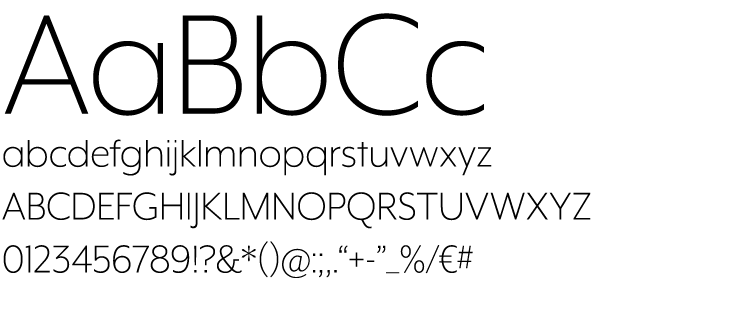
Mr Eaves XL – Light

For main titles

Line spacing (leading):
Font size x 0.9 (approximately)
Example: When the font size is 40pt. The leading should be approximately 36pt (= 40 x 0.9).

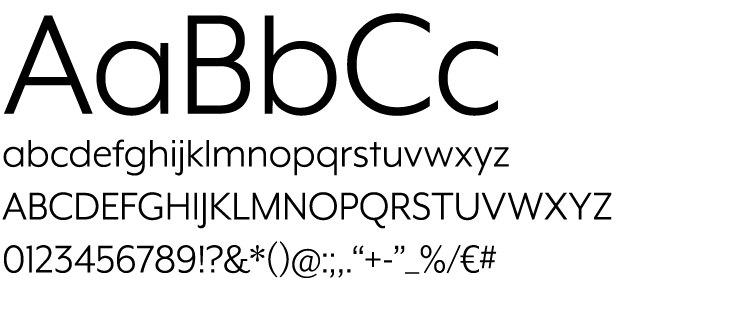
Mr Eaves XL – Book

For body copy and regular texts

Line spacing (leading):
Font size x 1.3 (approximately)
Example: When the font size is 12pt. The leading should be approximately 15,6pt (= 12 x 1.3).

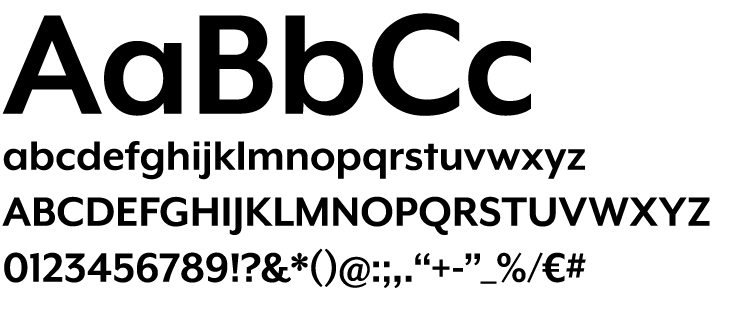
Mr Eaves XL – Bold

For subtitles and accents or cta’s etc.

Line spacing (leading):
Subtitles: Font size x 1.0 (approximately)
Intro copy: Font size x 1.3 (approximately)
Example: When the font size of the subtitle is 18pt. The leading should be approximately 16,2pt (= 18 x 0.9).

General

With single lined main titles the subtitle should be on the next line without extra white space inbetween. When the main title and/or subtitle are over multiple lines thad it’s better to add a white space between the main title and subtitle.

Main titles

Font: Mr Eaves XL – Light
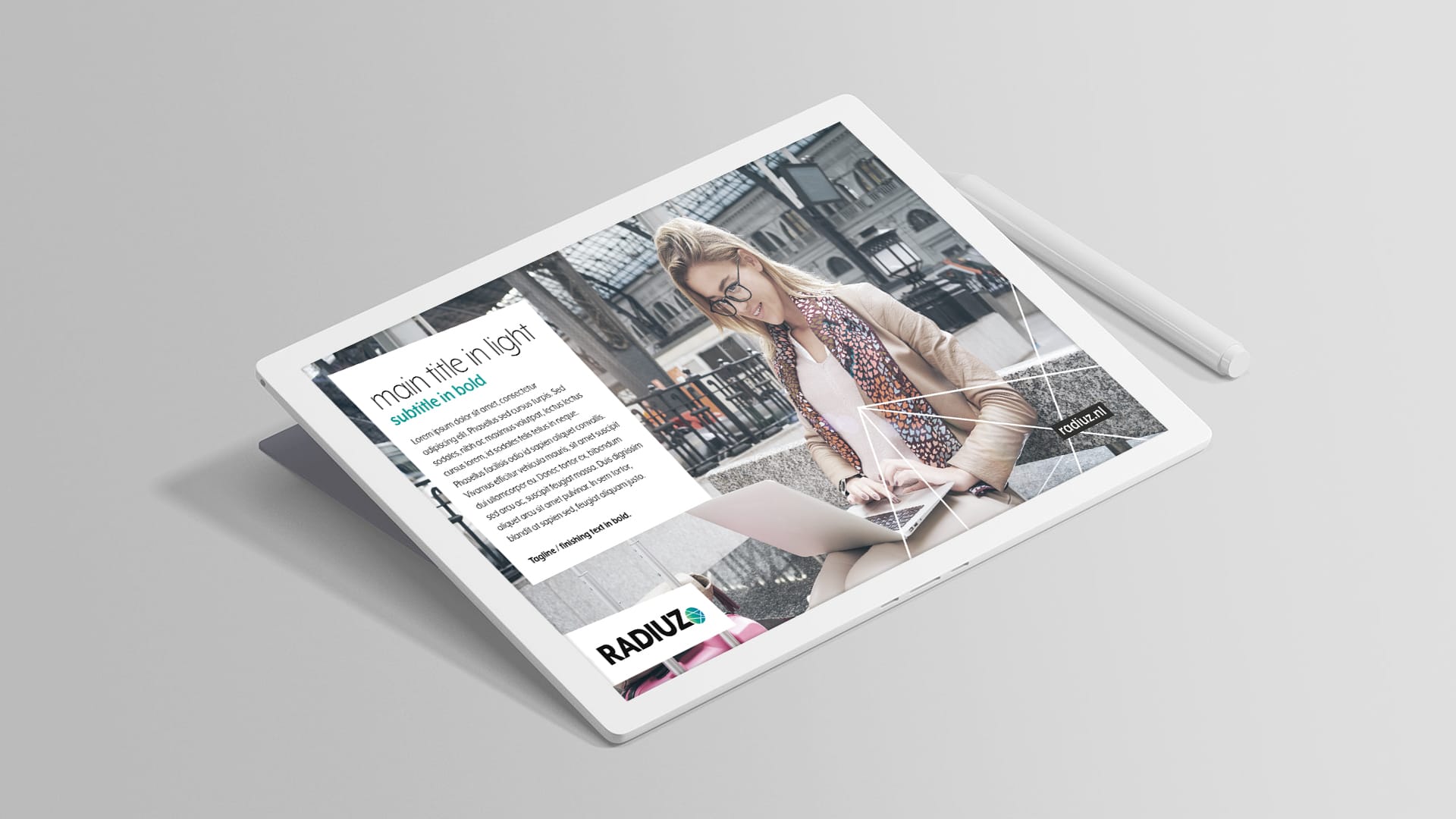
Style: All lowercase in a large size for good readability.

Subtitles

Font: Mr Eaves XL – Bold
Style: All lowercase, obviously smaller sized than the main title.

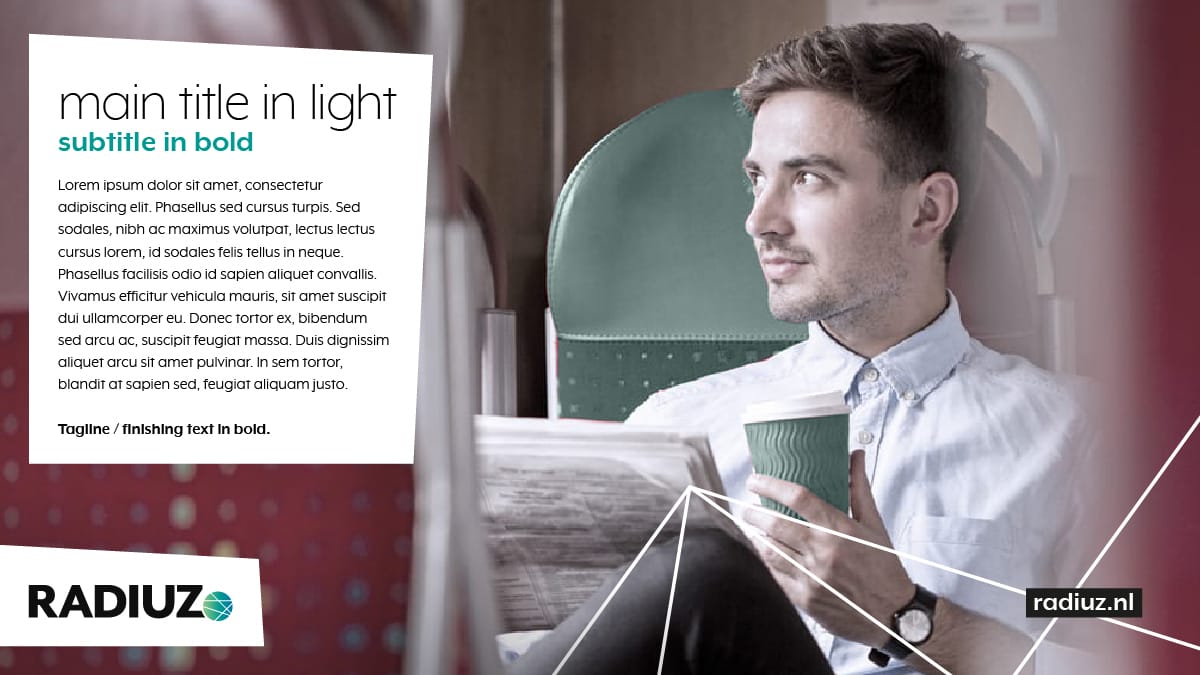
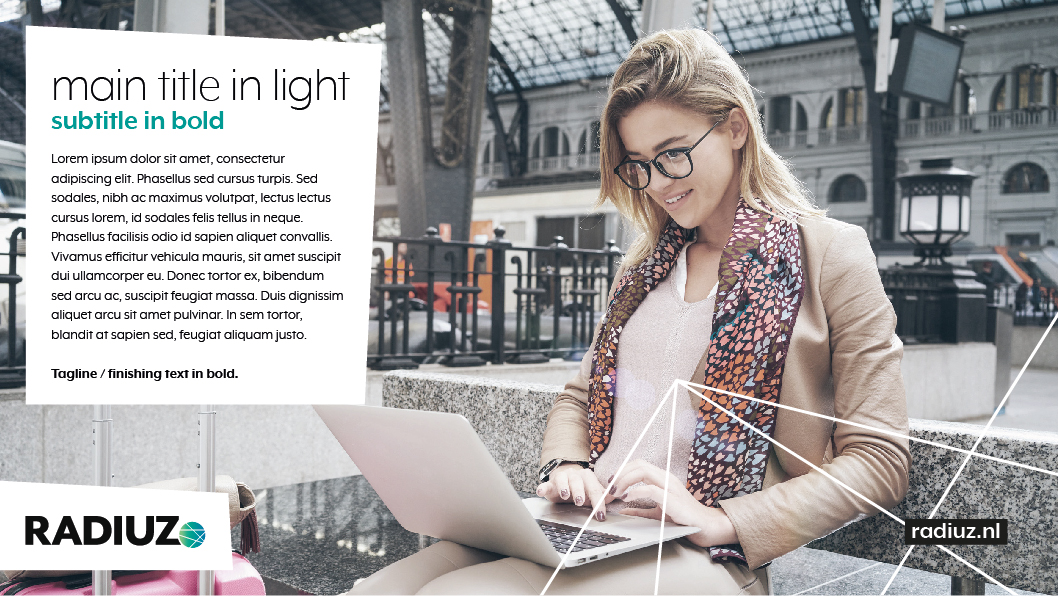
The combination of the big but light main title with the smaller but bolder subtitle, and the use of only lowercase characters, is typical for the Radiuz typography and visual identity.

Example:

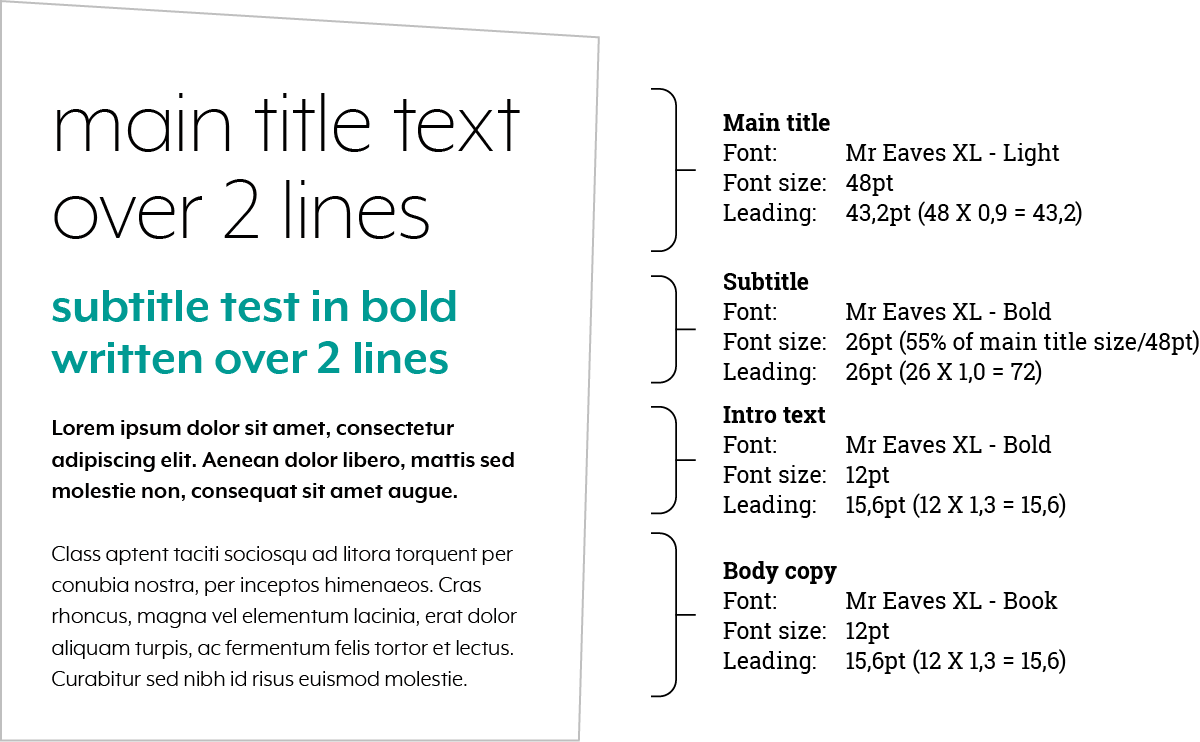
Base for the difference in size between main title and subtitle is that a subtitle is approximately 55% smaller according to the main title.

Example:
When the main title size is 120pt, the subtitle size is 66pt. (55% of 120 = 66). This is a base theory, point size may always changed to a rounded number.

Example

Here you see an example of the right general type of fonts, the sizing and line spacing (leading). See more information about titles in the title tabs.

Stopping power

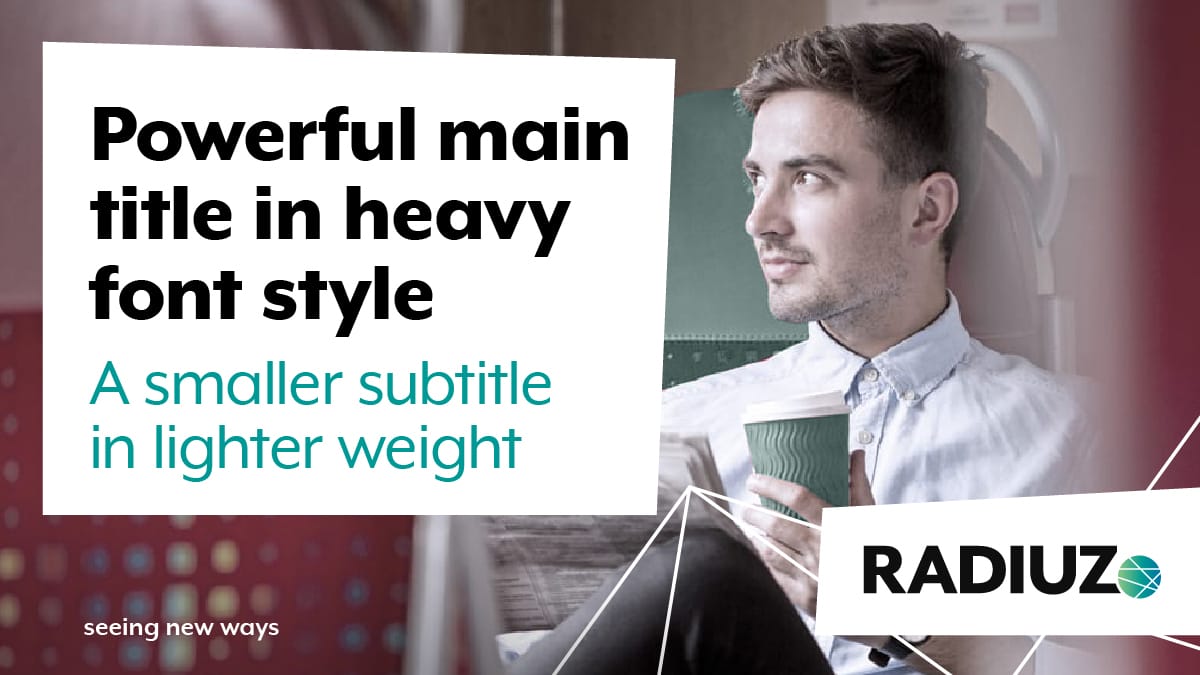
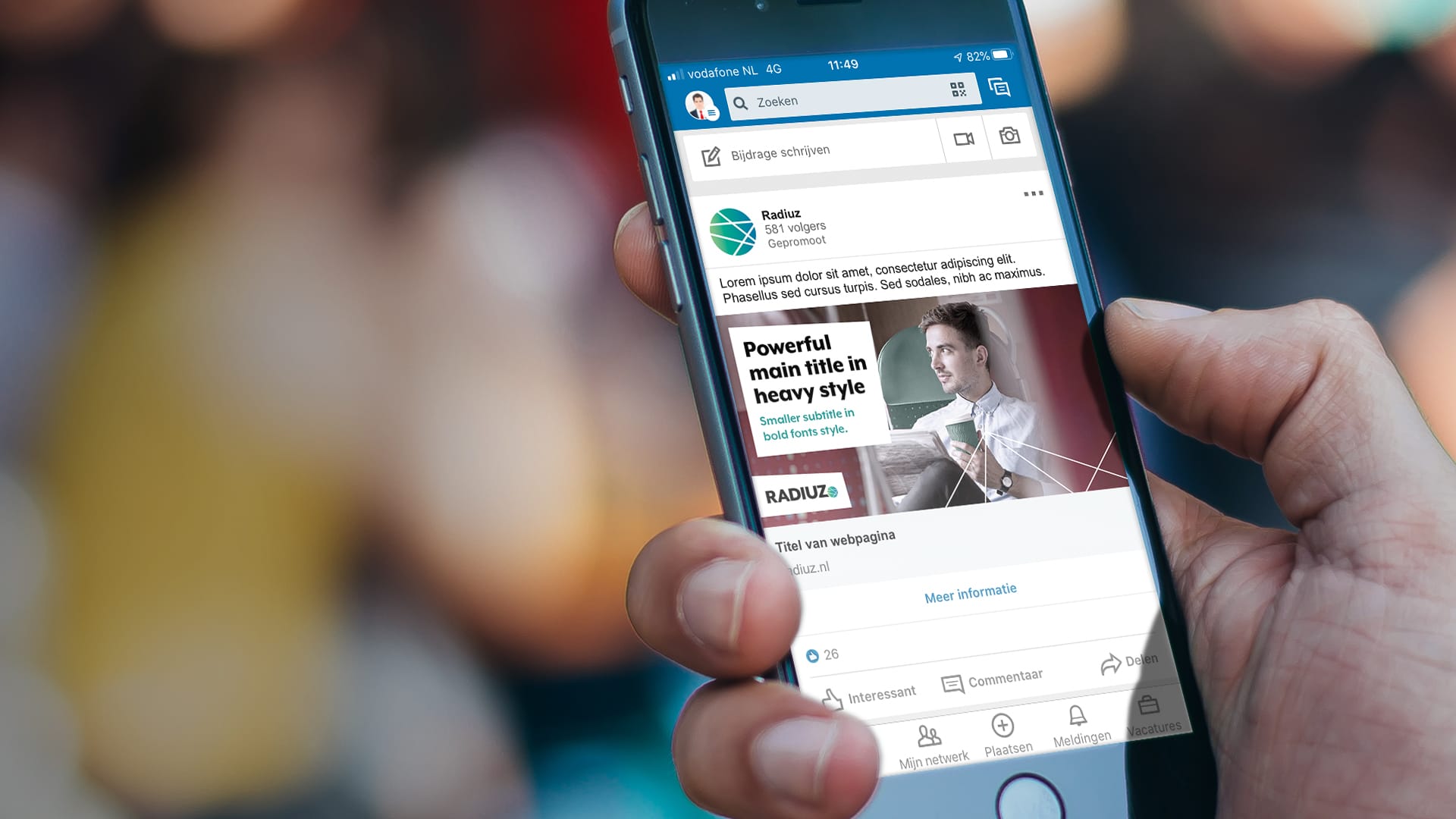
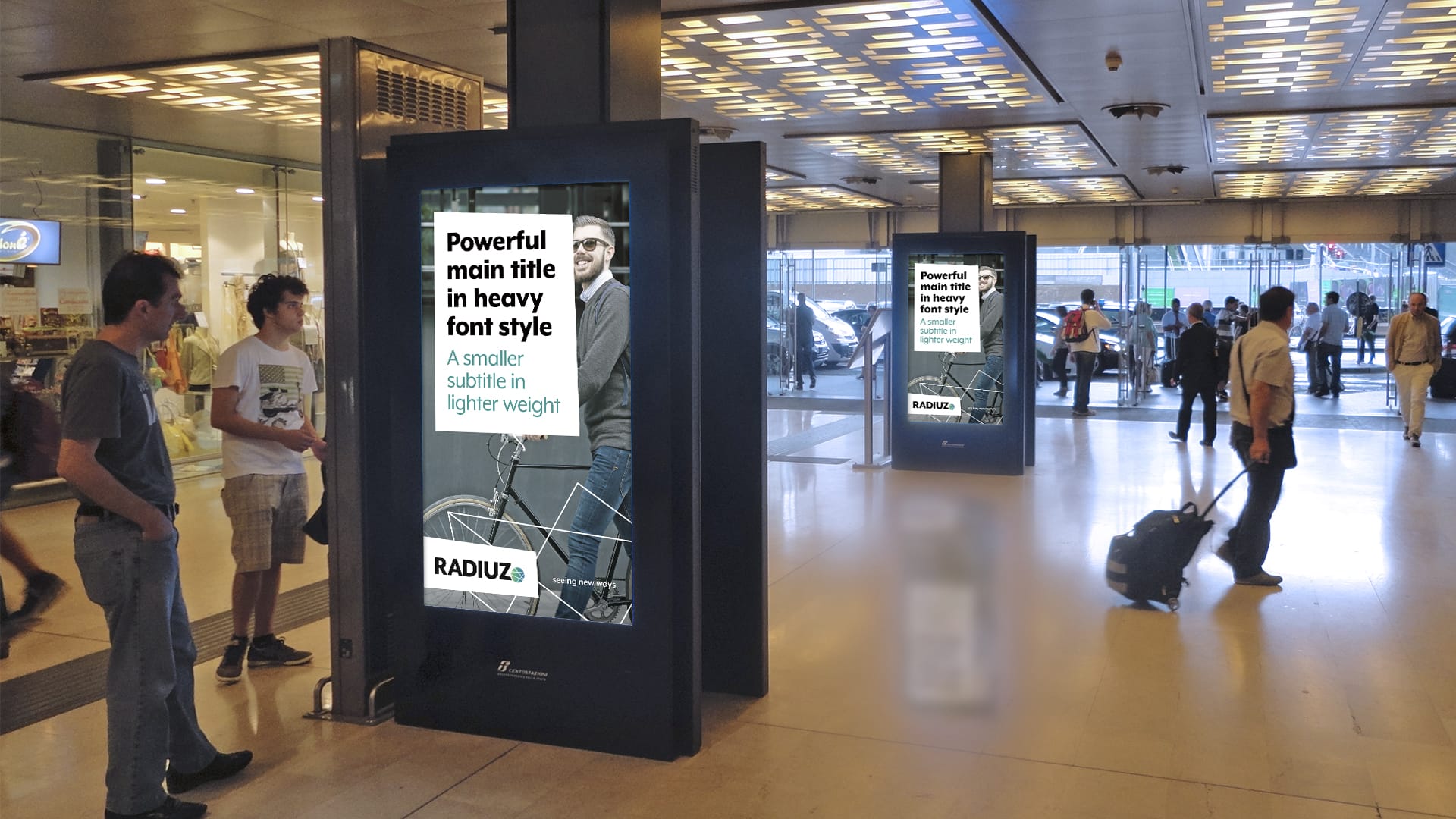
In exposures where audience is quickly passing by, it’s better to use the heavy weight font for good readability and stopping power.

Main titles

Font: Mr Eaves XL – Heavy
Style: Normal, first letter capital.

Subtitles

Font: Mr Eaves XL – Bold
Style: Normal, first letter capital. Obviously smaller sized than the main title.

Example:

Body copy

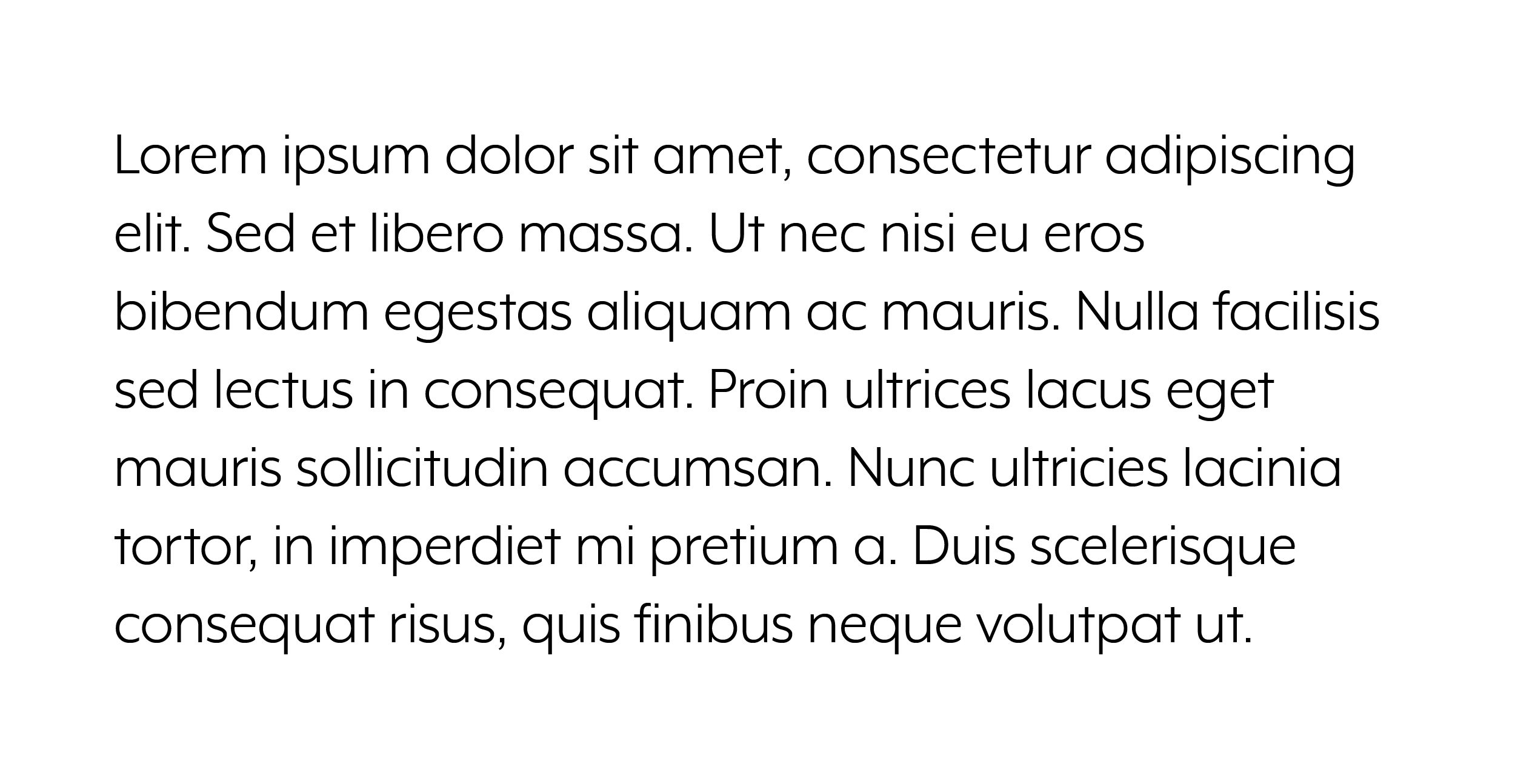
For main copy and regular reading parts, use the ‘book’ weight of the Mr Eaves XL font. Not the light weight! The book weight provides a better readability. This applies as well in black color on a white or light background as in white color on black or dark colored backgrounds.

Line spacing (leading):
Font size x 1.2 (approximately)

Accent color use in text

Black (or white) text is key. But the occasional use of the primary green in text makes the design distinctive. Use it to create extra attention for call to actions etc. (website for example).

Subtitles colored with the primary green most likely results in a distinctive style and balance for a layout.

Colors

Teal green (primary)

HEX: #009A93
RGB: R0 / G154 / B147

CMYK: C100 / M0 / Y50 / K0

The distinctive color of Radiuz. The teal color has a positive, reliable, and sustainable sentiment. Use it for accents, subtitles, call to actions, graphic elements, and lines.

Teal fits in on the color scale between green and blue. It combines the calming properties of blue with the renewal qualities of green. It is a revitalizing and rejuvenating color that also represents open communication and clarity of thought.

Bright green

HEX: #81C185
RGB: R129 / G193 / B133

CMYK: C55 / M0 / Y60 / K0

This secondary color is mainly used in the gradient. But may possibly be used as a second accent color. Most likely on a black background, because the brightness makes strong contrast. The contrast on white makes the bright green more of a subtle color which possibly might come in handy if wanted.

Deep blue

HEX: #0074A6
RGB: R0 / G116 / B166

CMYK:
C100 / M40 / Y20 / K0

Don’t use this as a single solid color. This tertiary color especially generated and added to the gradient to strengthen and enrich this color scheme flow.

Black

HEX: #000000
RGB: R0 / G0 / B0

CMYK:
C40 / M30 / Y30 / K100

Try to make sure black is rich black. Not dark grey.

Based on the 3 main colors

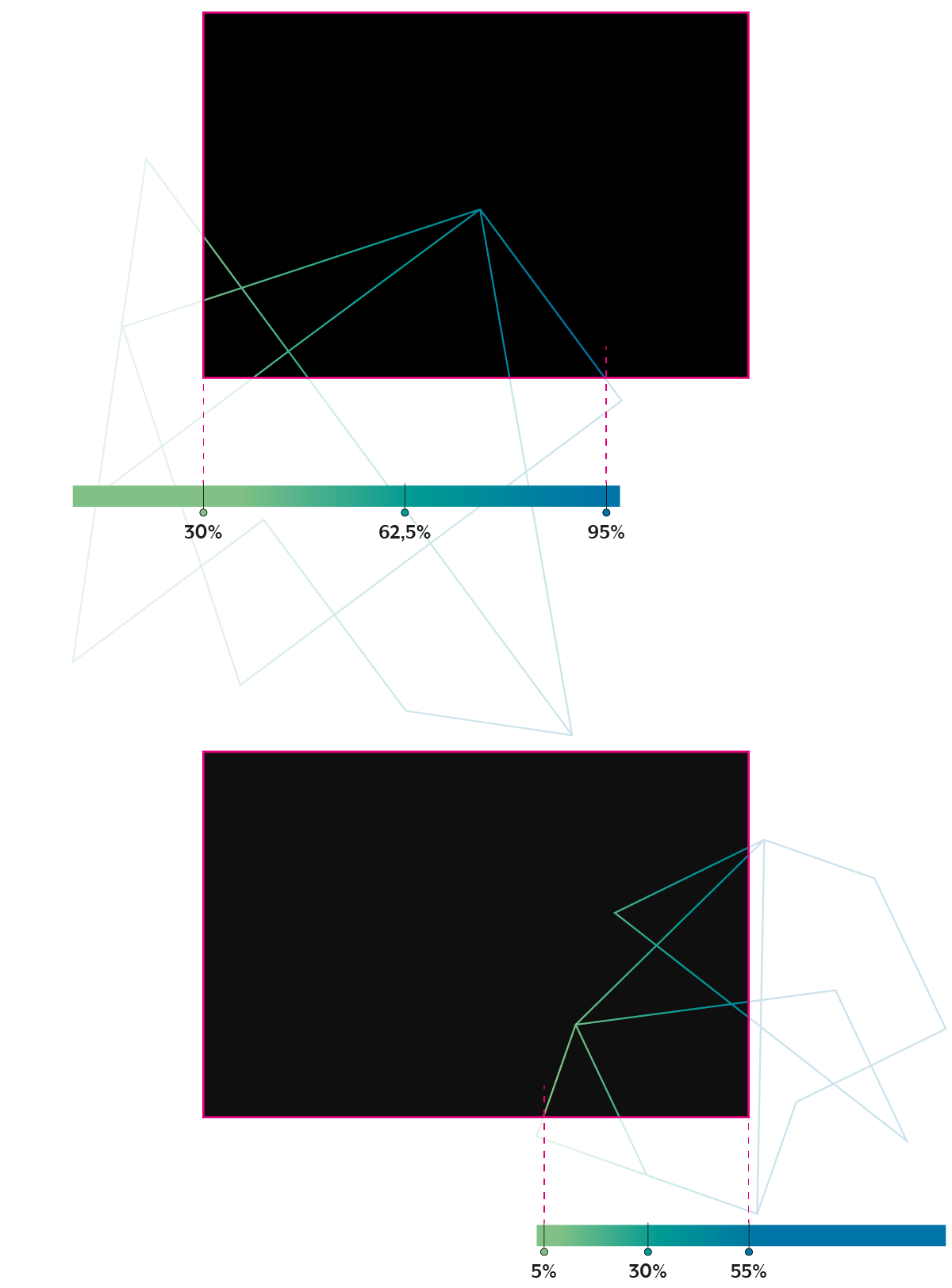
Always in the same order: from bright green to teal green to deep blue. Created in a smooth transition, almost proportional balanced: 0%/50%/100%. Almost, because ideally there is a subtle focus on the greens. Therefore the green color points are slightly offset. The blue is the least important color.

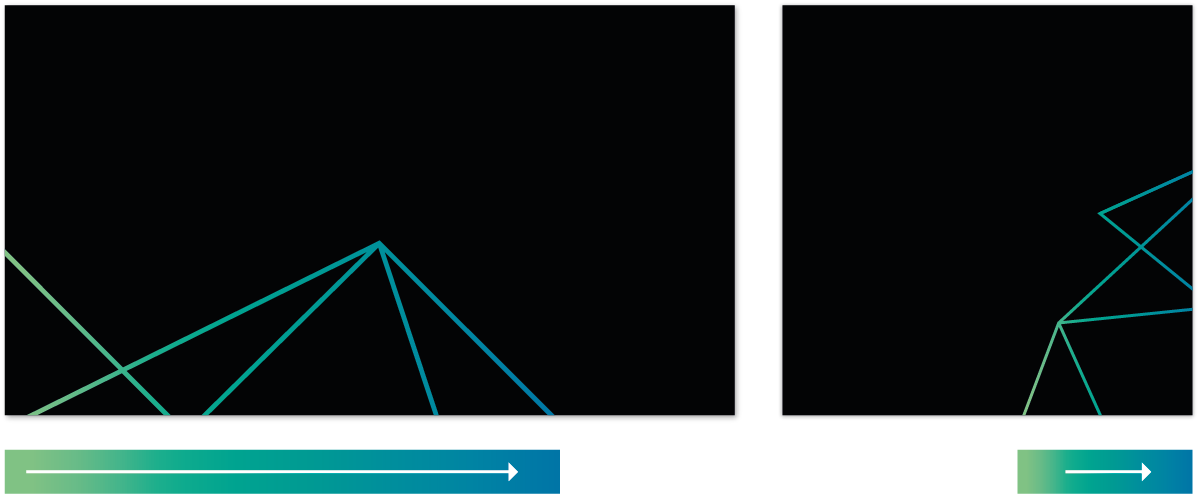
Always use the gradient horizontally and in the same direction from left to right: from bright green via teal green to deep blue.

Always show the full gradient

When using the gradient, make sure the full gradient is always visible. It’s important to keep this in mind especially when elements are cropped or placed partly out of sight. In that case the gradient must be customized so the three color points are 100% in the visible area.

For example:
When a line-based element is partly (cropped) in your canvas layout and colored with the gradient. Make sure to adjust the 3 colored points in the gradient panel to make sure each color is 100% inside the final canvas.

Color use

Although black and white are key, accent colors and gradient details must be used to keep the Radiuz identity bright and fresh.

The colors should be used as accent colors and are preferably not used to fill surfaces or backgrounds, etc. Only in lines, subtitles, call to actions and so on. For example, this can be done for a button, line or bullet.

Whitespace

Whitespace is also important for the Radiuz visual identity. It creates tranquility and ensures freshness within a layout.

Gradient

When using the gradient, make sure the full gradient is always visible. It’s important to keep this in mind especially when elements are cropped or placed partly out of sight. In that case the gradient must be customized so the three color points are 100% in the visible area.

Graphic elements

Transformed shapes

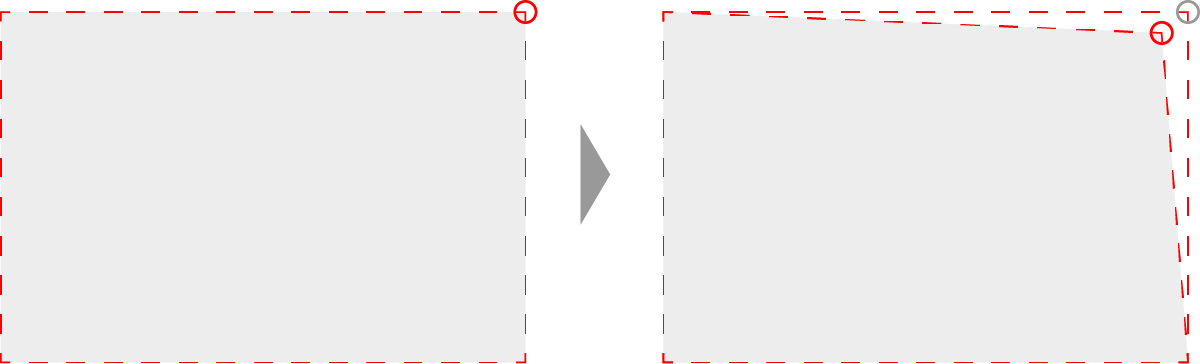
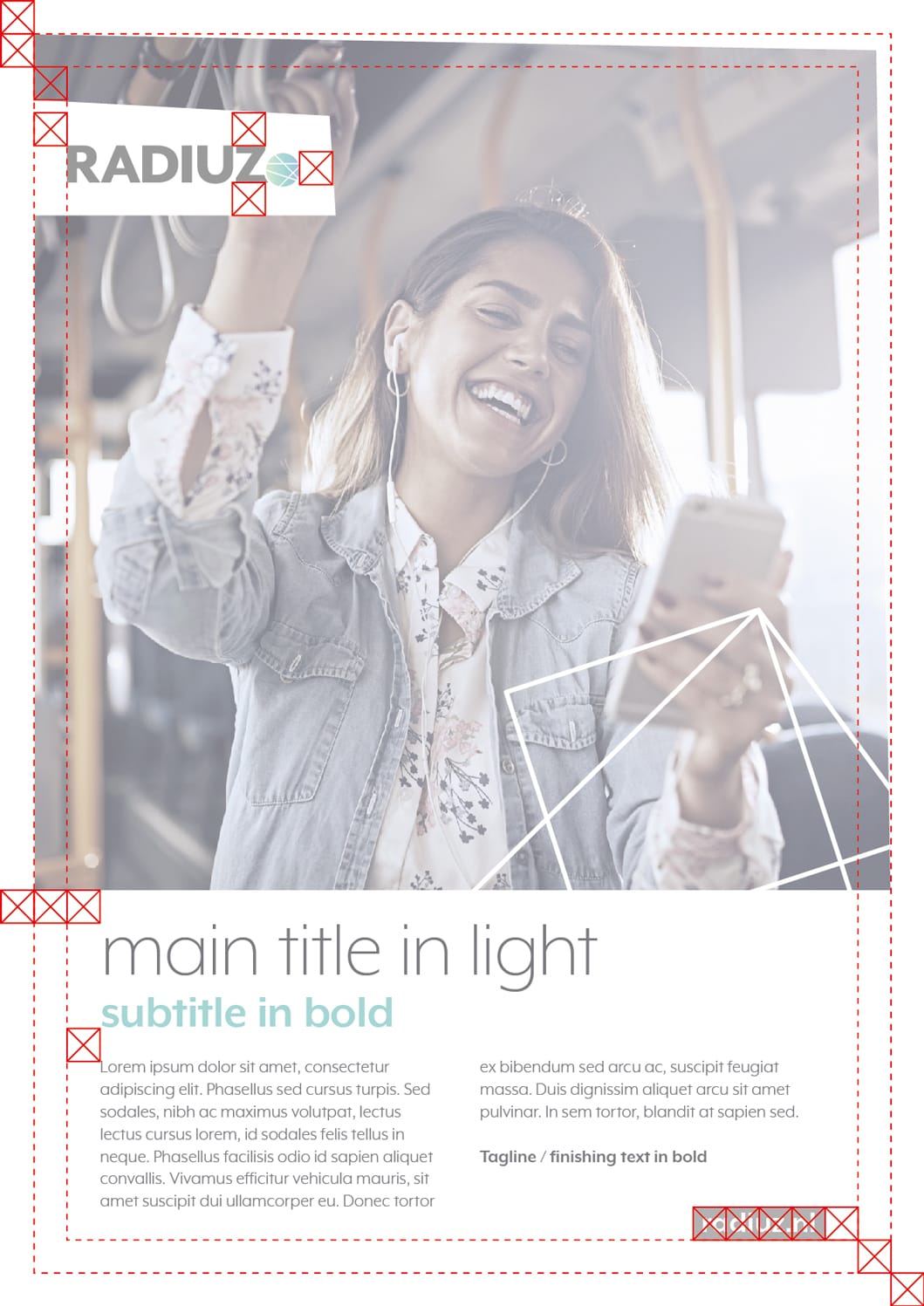
Shapes and panels etc. may have diagonal sides to strengthen the visual identity. Keep it simple and subtle. Use standard straight rectangles as a base and make maximal 2 sides slanted.

Make sure there are not too many tilted elements in one layout to keep your design clear. And to prevent it might get disturbing for the content. Also beware not to slant the sides too much / don’t make corners too sharp to prevent an aggressive appearance.

How to:
In most common software/tools this can be easily done with these steps:

  1. Start with adding/creating a basic rectangle shape in your design. .
  2. Reshape the created straight rectangle by moving 1 corner.

For example:

Canvas frames (borders).

Don’t make corners too sharp to prevent an aggressive appearance. This also prevents too slanted sides.

Connecting the dots

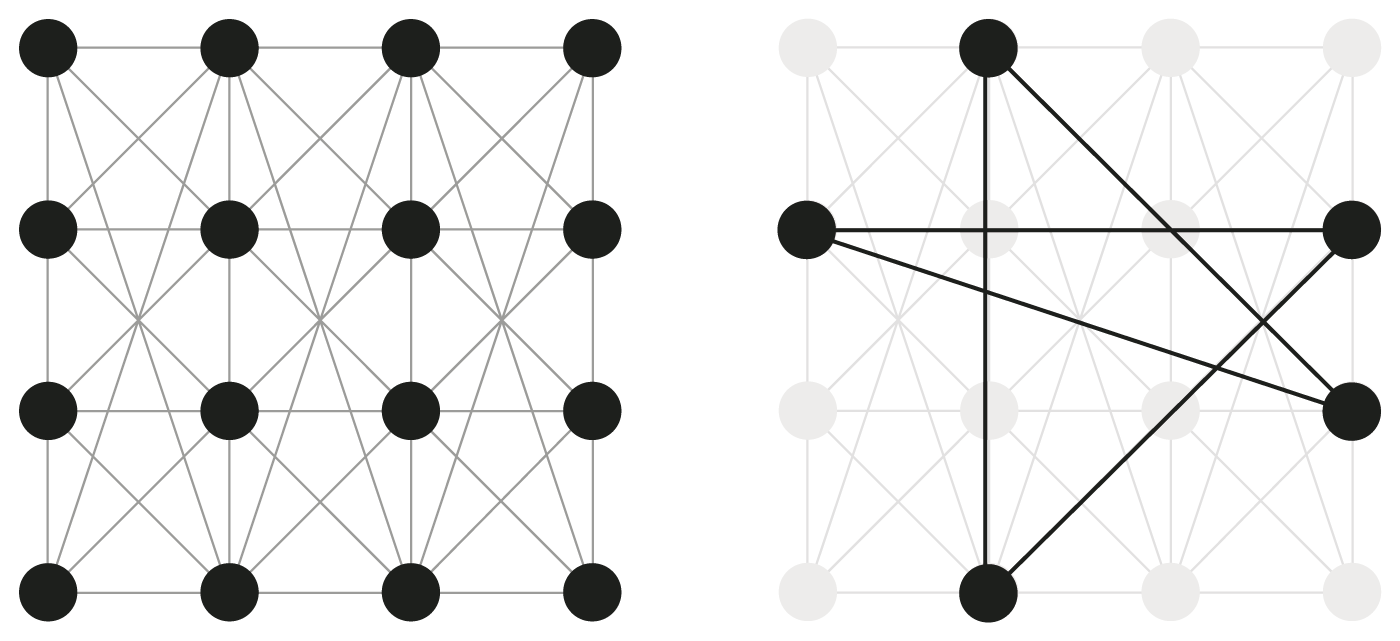
The line-based elements are based on the ‘connecting the dots’ concept. Making connections, drawing lines from point to point in a square raster. On images used in one color: black or white. On solid white or black it can be used with the gradient for color recognition.

Cropping

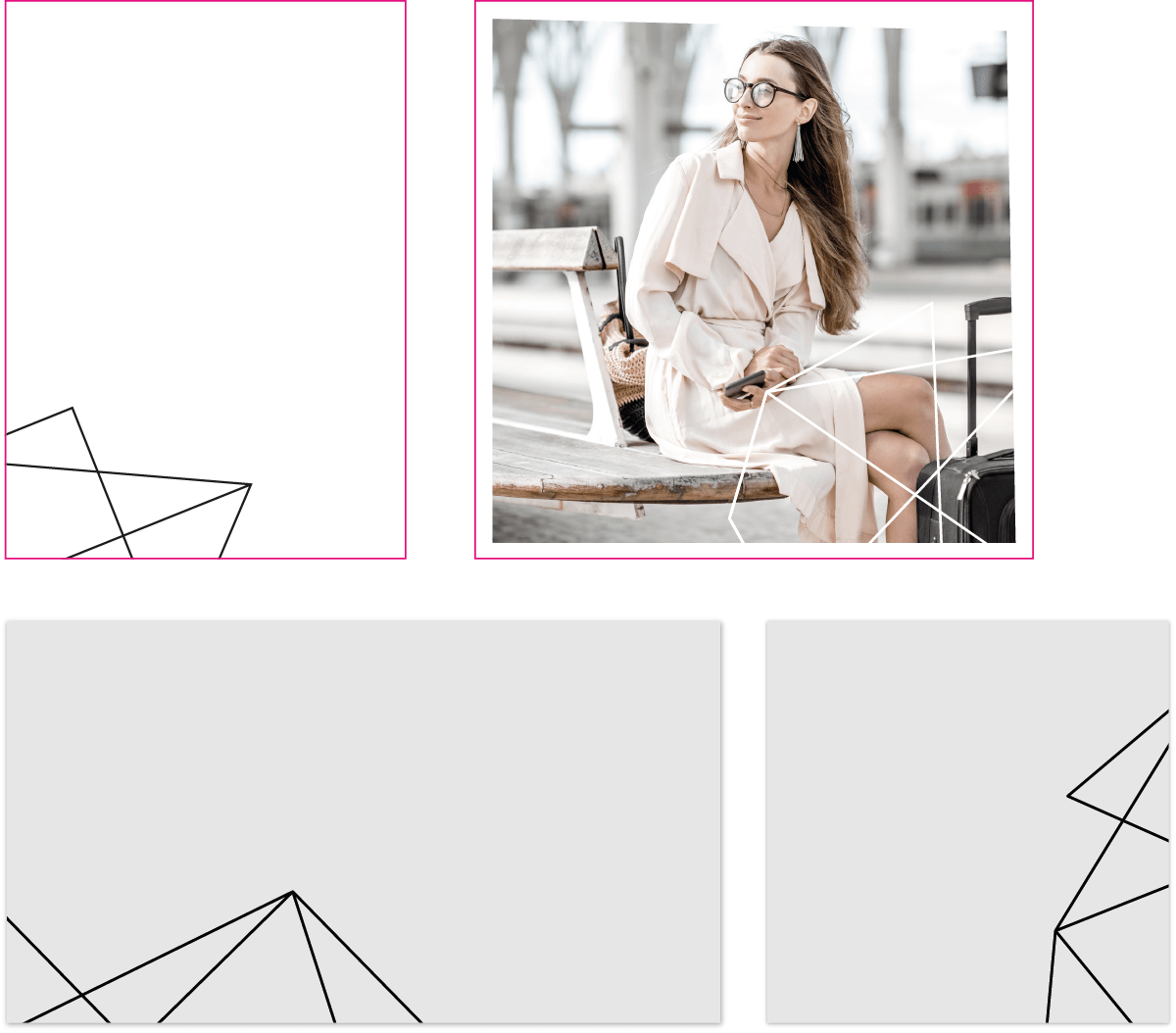
Use cropped parts as styling elements in layout. Feel free to rotate and position the line element as you like so it suits the design.

Full gradient
When using the gradient, make sure the complete gradient is visible within the cropped line element. For more information check the gradient info in the colors section

Digital

Guidelines for online and interactive development.

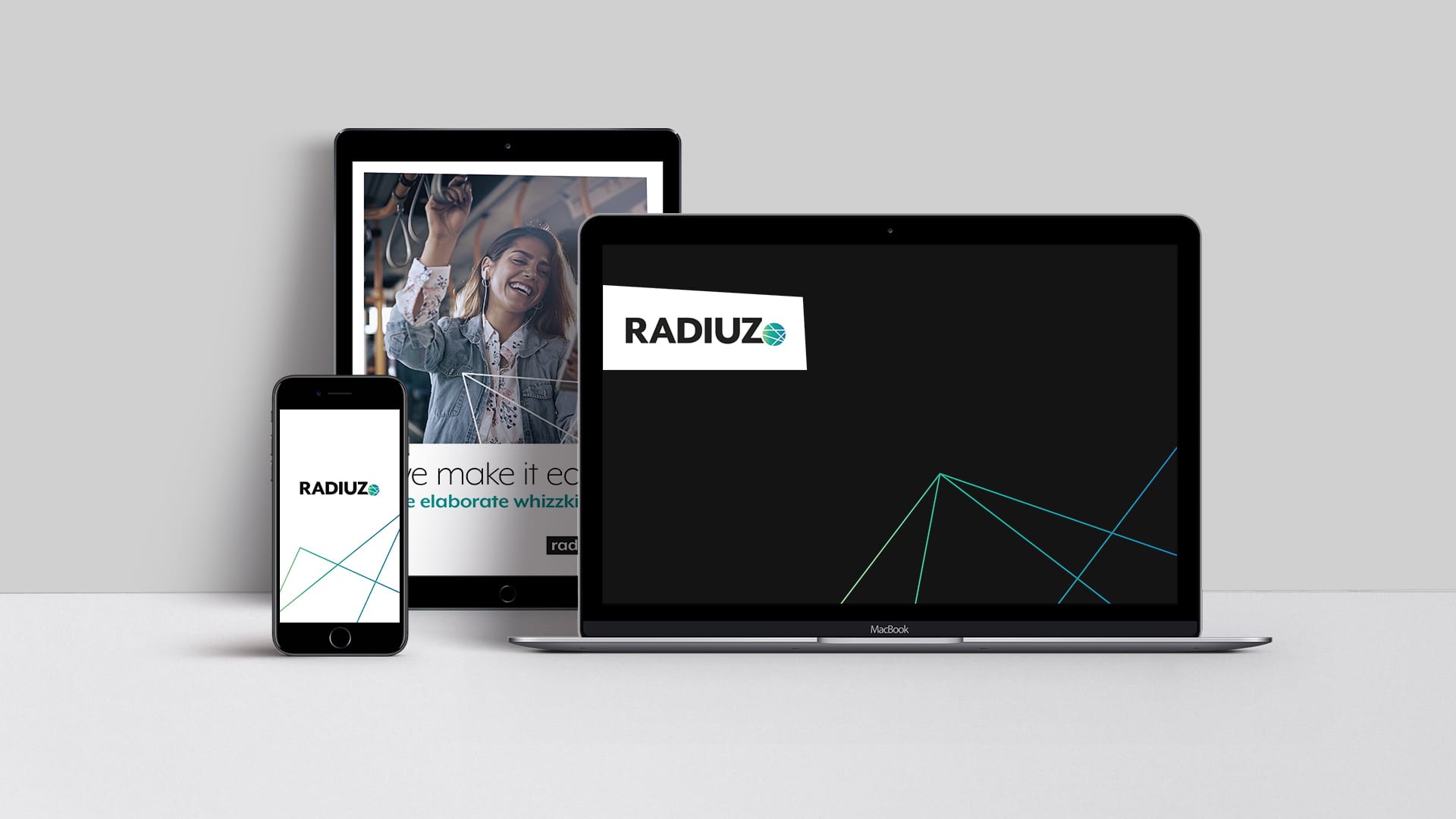
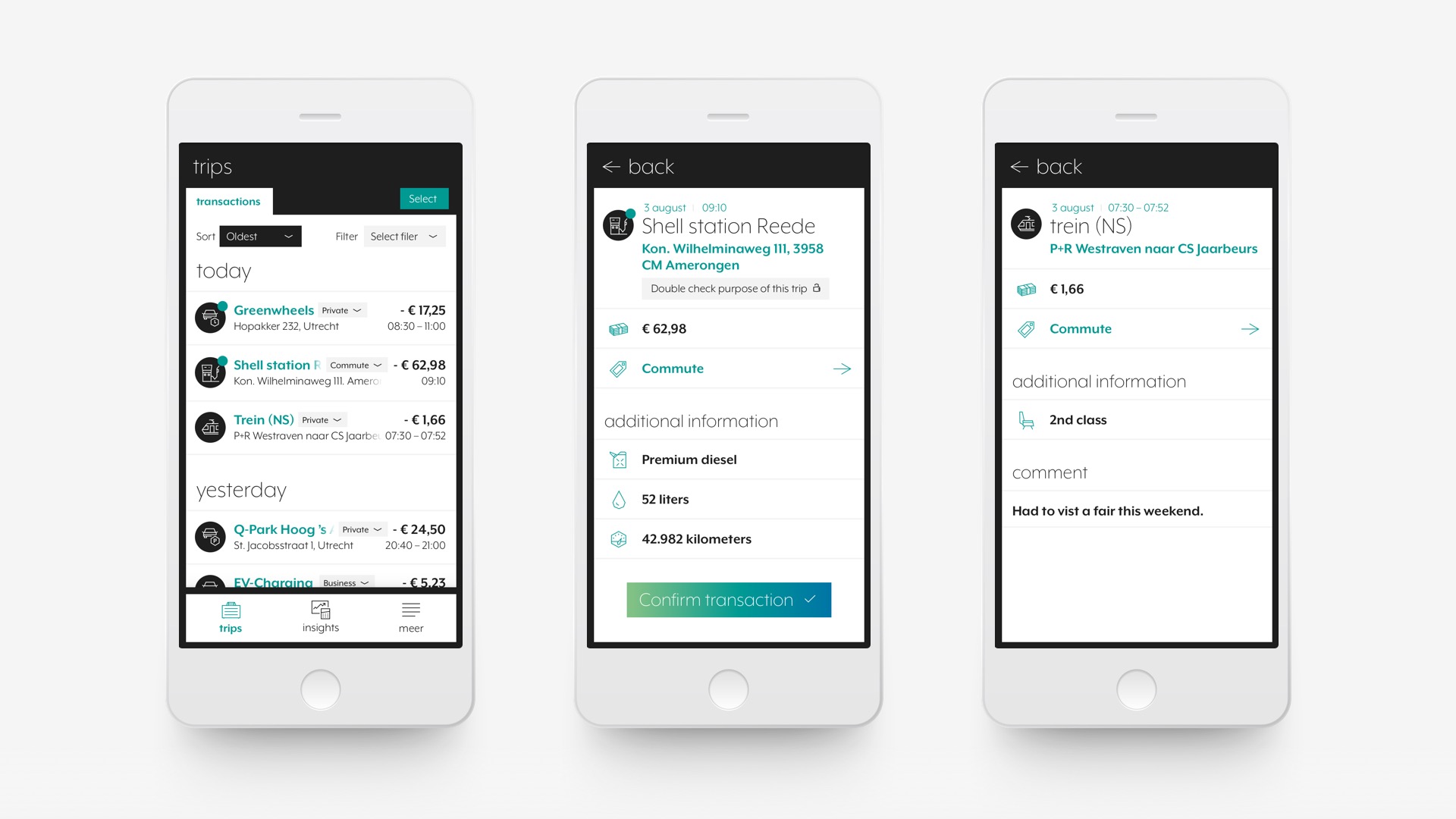
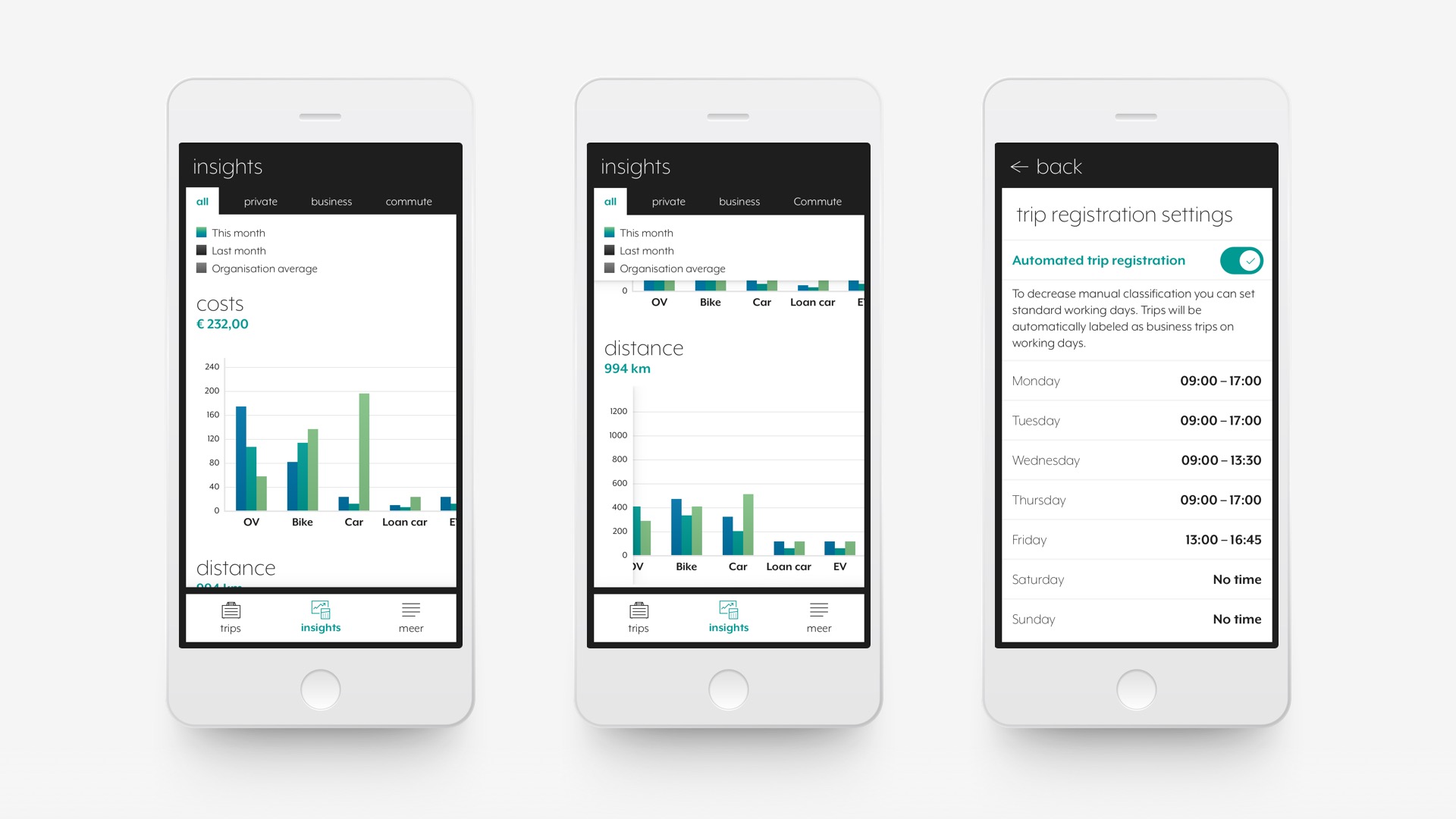
App

Example screens of the redesigned Radiuz App. These lay-outs are available in the provided Sketch file or via the online InVision inspect tool (you first need to create a free InVision account).

InVision

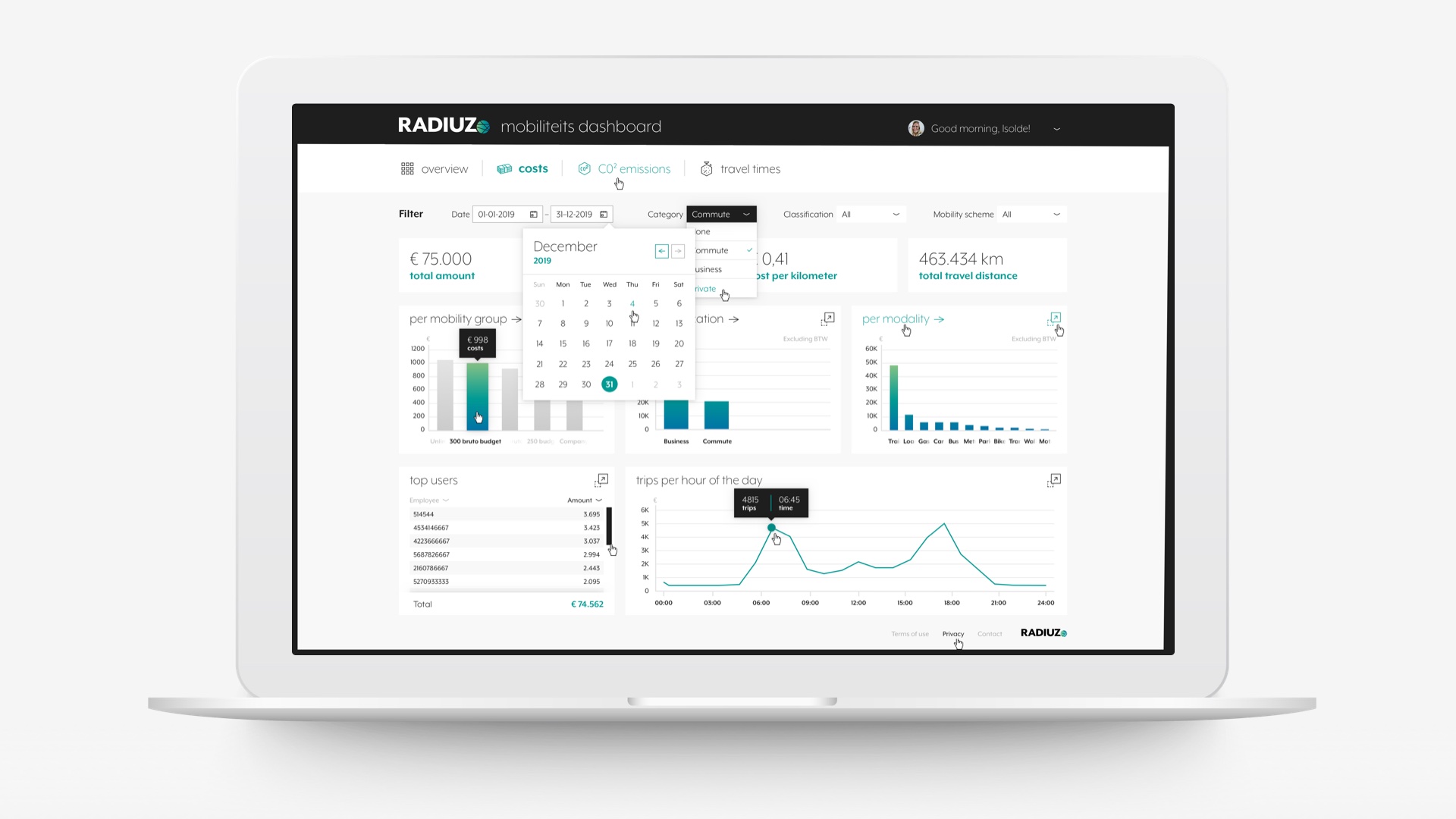
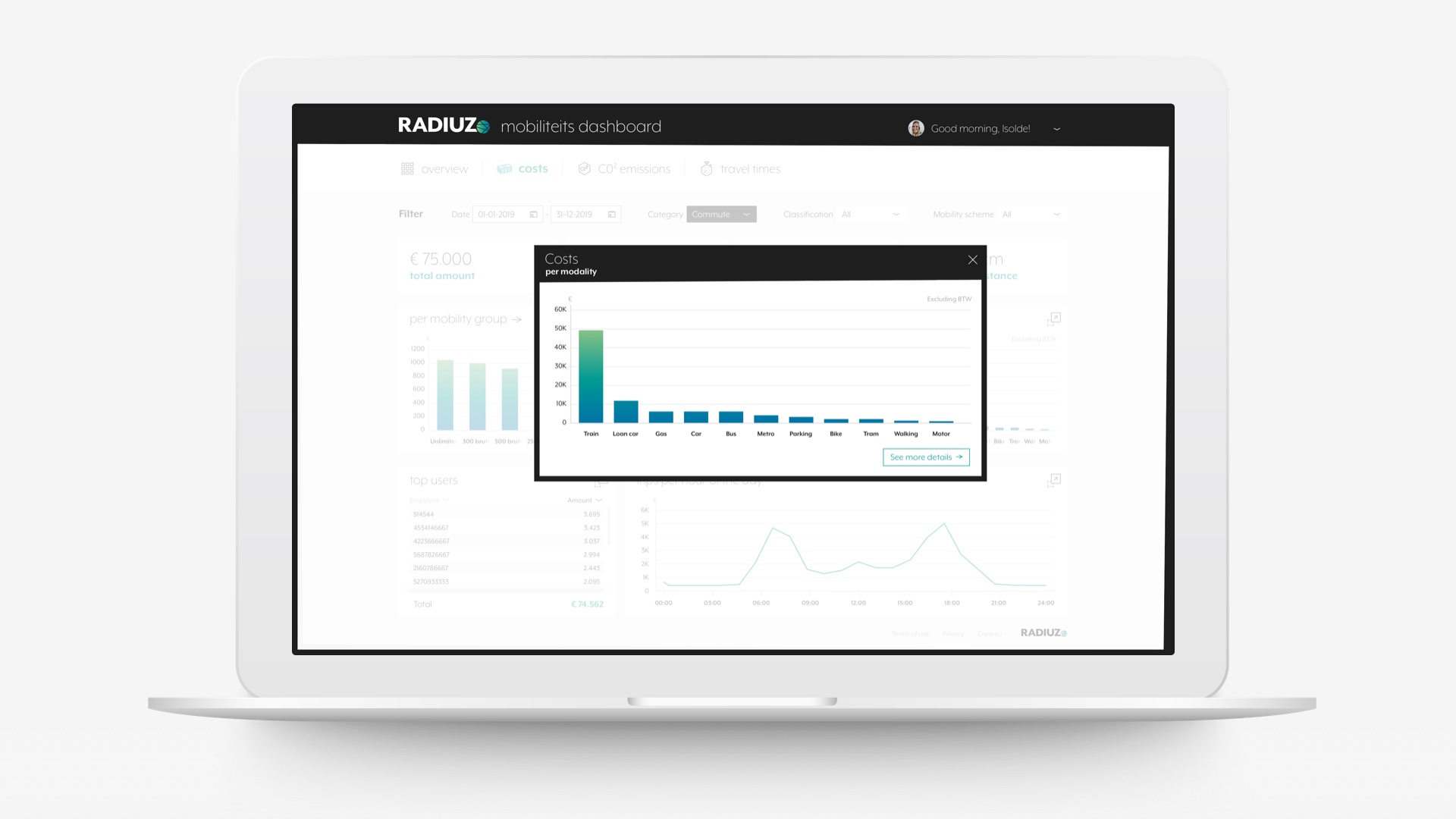
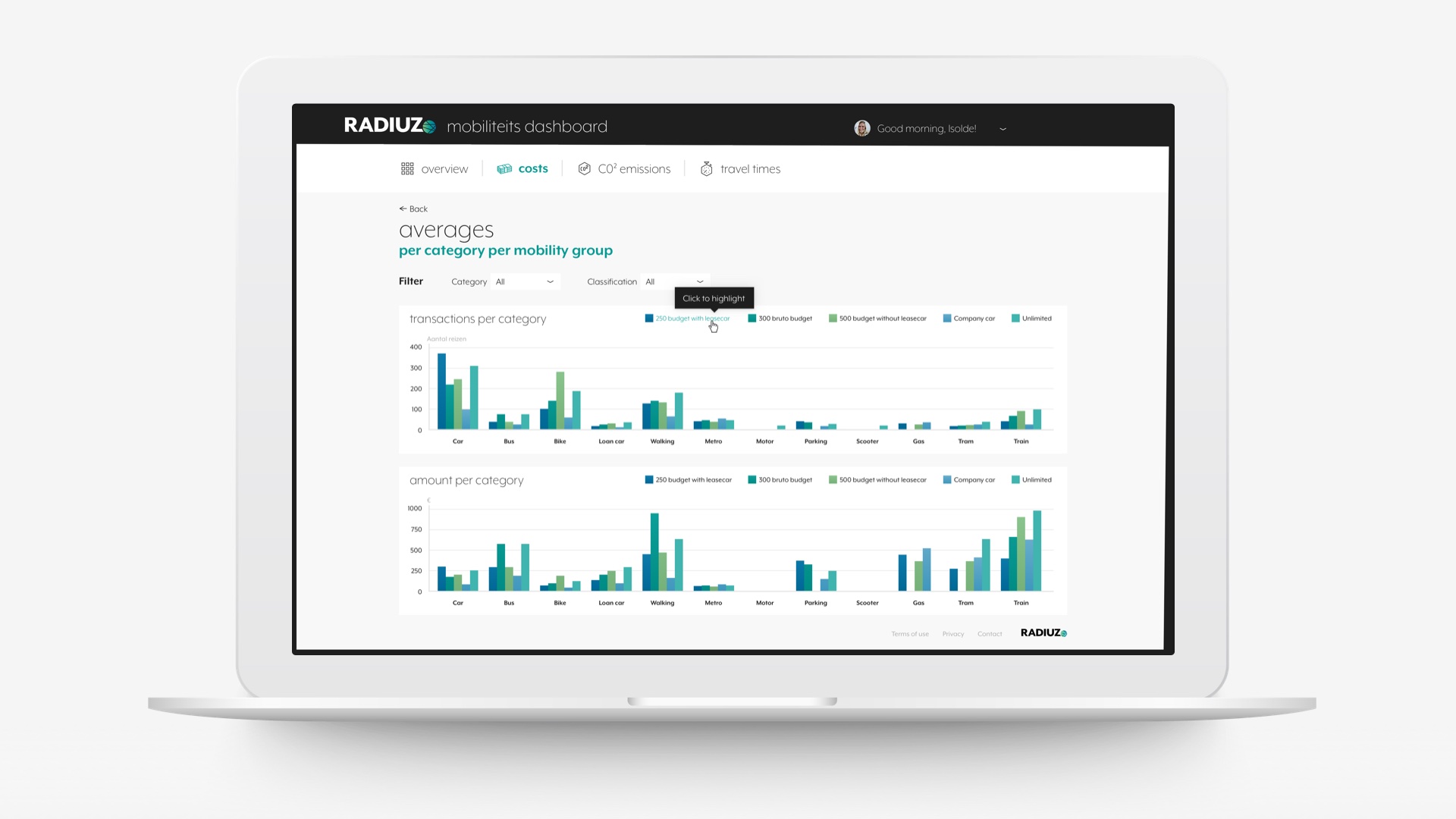
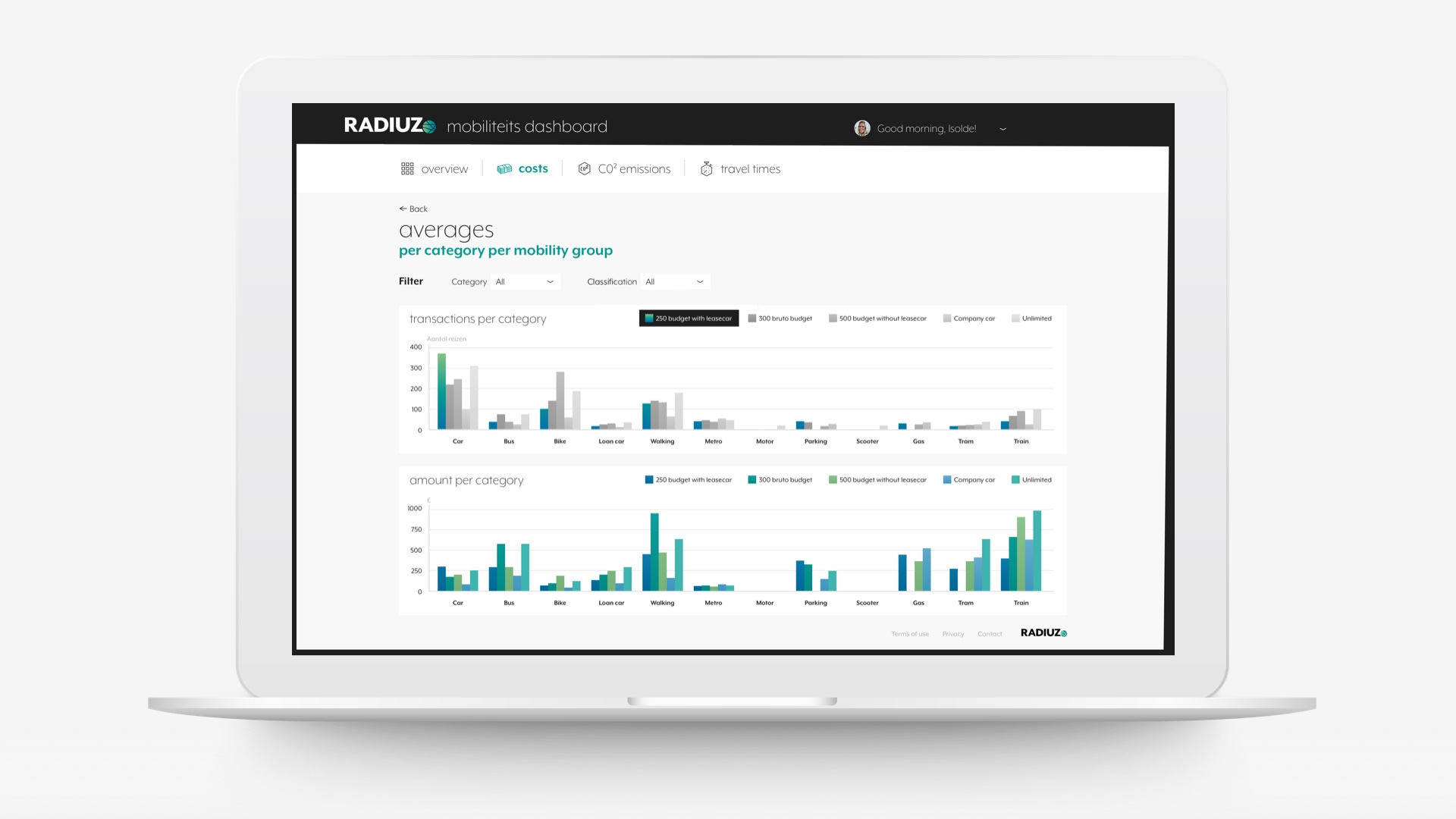
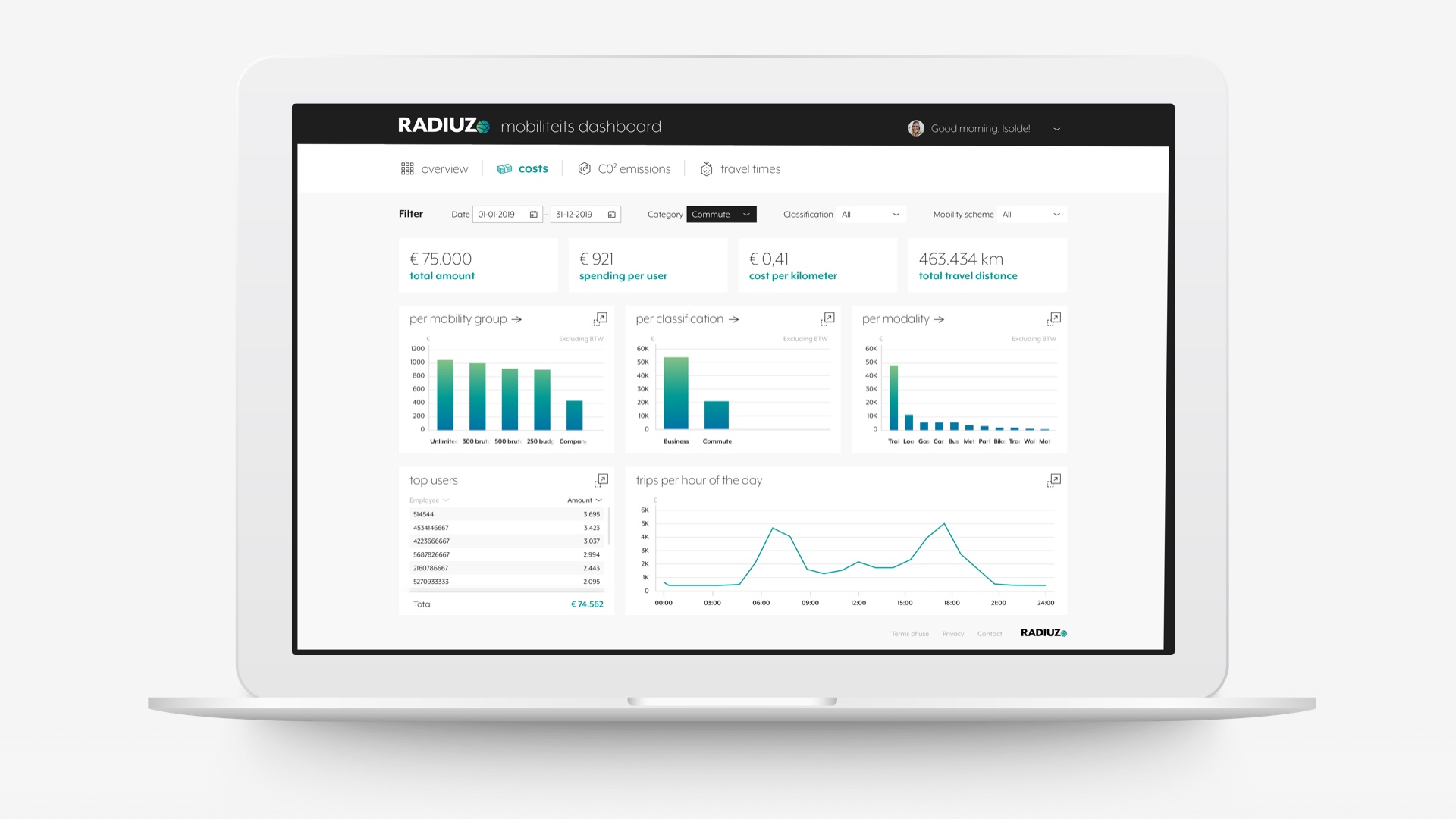
Dashboard

Example screens of the redesigned Dashboard. These lay-outs are available in the provided Sketch file or via the online InVision inspect tool (you first need to create a free InVision account).

InVision

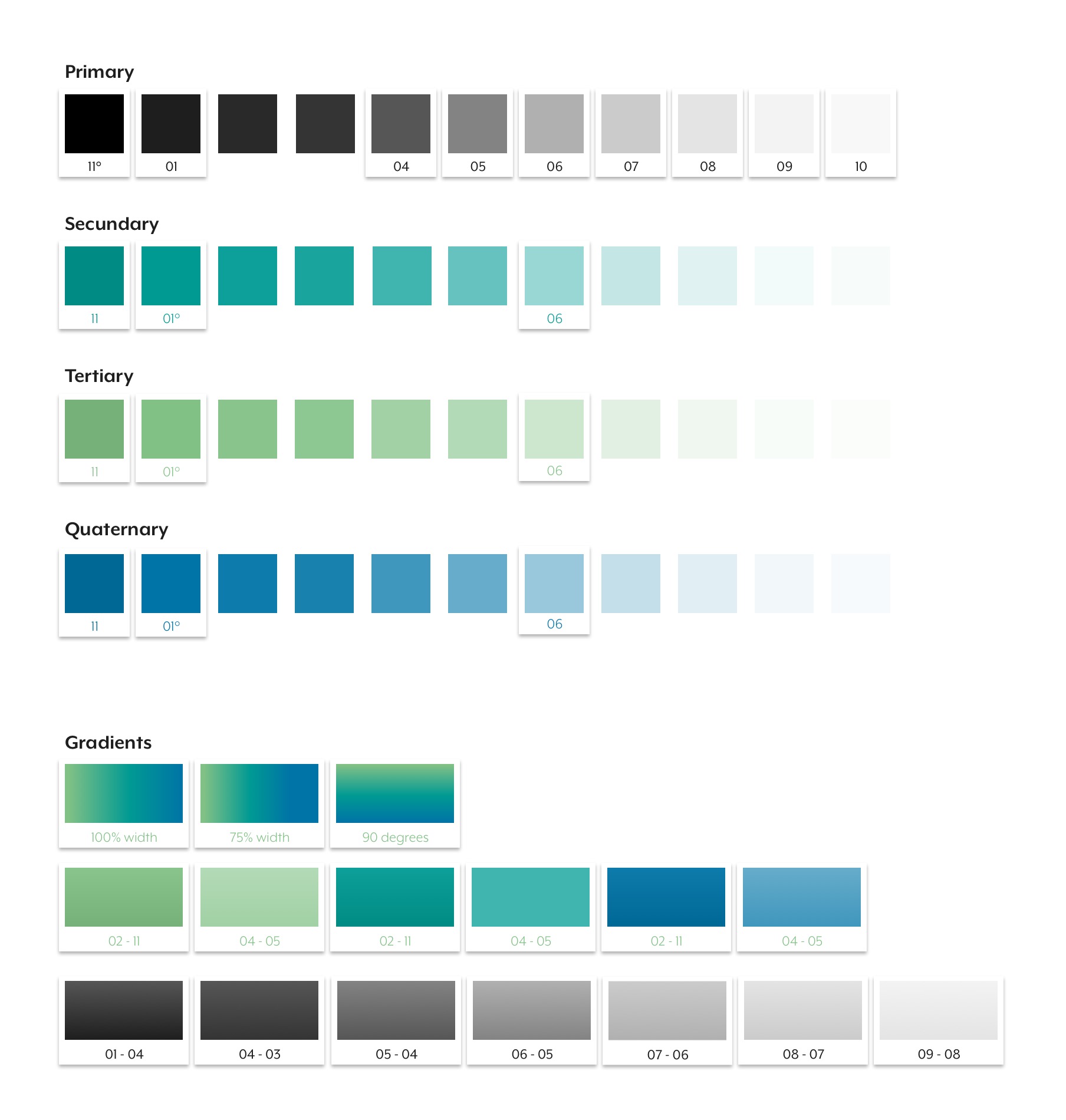
Palet

For digital purposes the color palet matches the pre-defined colors. With some slight additions and alterations. For digital we do NOT use rich black, but #1E1E1E. We do this to avoid too high contrast ratio’s, resulting in less legibillity of the onscreen text.

For each color we added a darker shade for mouse-over purposes. In the digital palet these darker colors have the number 11. The addition of the ‘degree sign’ to a color number indicates it is the pre-defined color (i.e. Primary 11° or Secundary 01°)

For digital we also have the option to use gradients. The pre-defined bright green to teal green to deep blue. But also extra gradients in different shades. These a mainly used for graphs and charts.

The correct HEX values are available in the provided Sketch file or via the online InVision inspect tool (you first need to create a free InVision account).

InVision

Typography

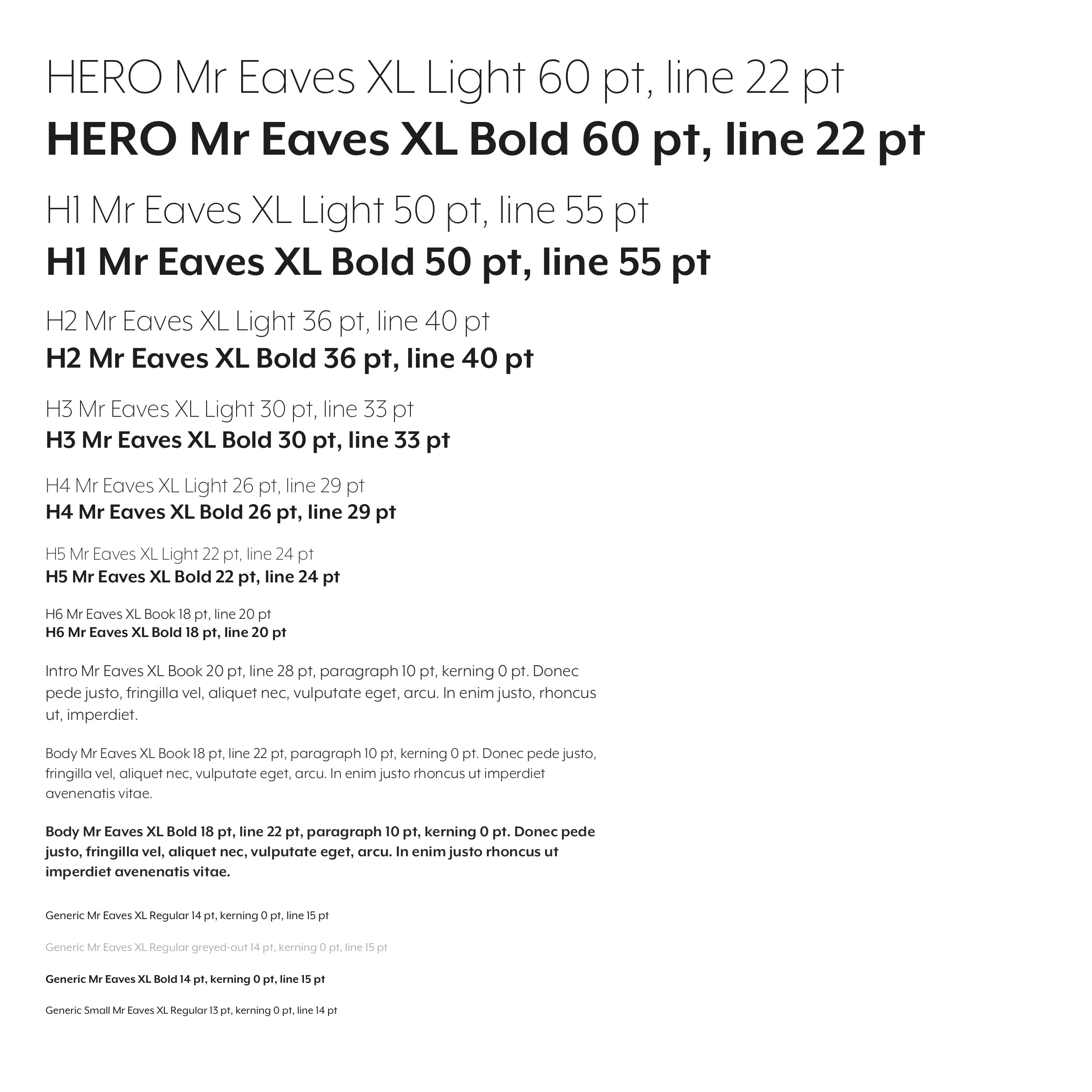
For digital purposes the general typography rules set in the chapter Typography apply. Basic digital text styles are defined so that the Main vs. Subtitle ratio is maintained.

Example A to the right is the basic primary color of the typography in black. For digital we do NOT use rich black, but #1E1E1E. We do this to avoid too high contrast ratio’s, resulting in less legibillity of the onscreen text.

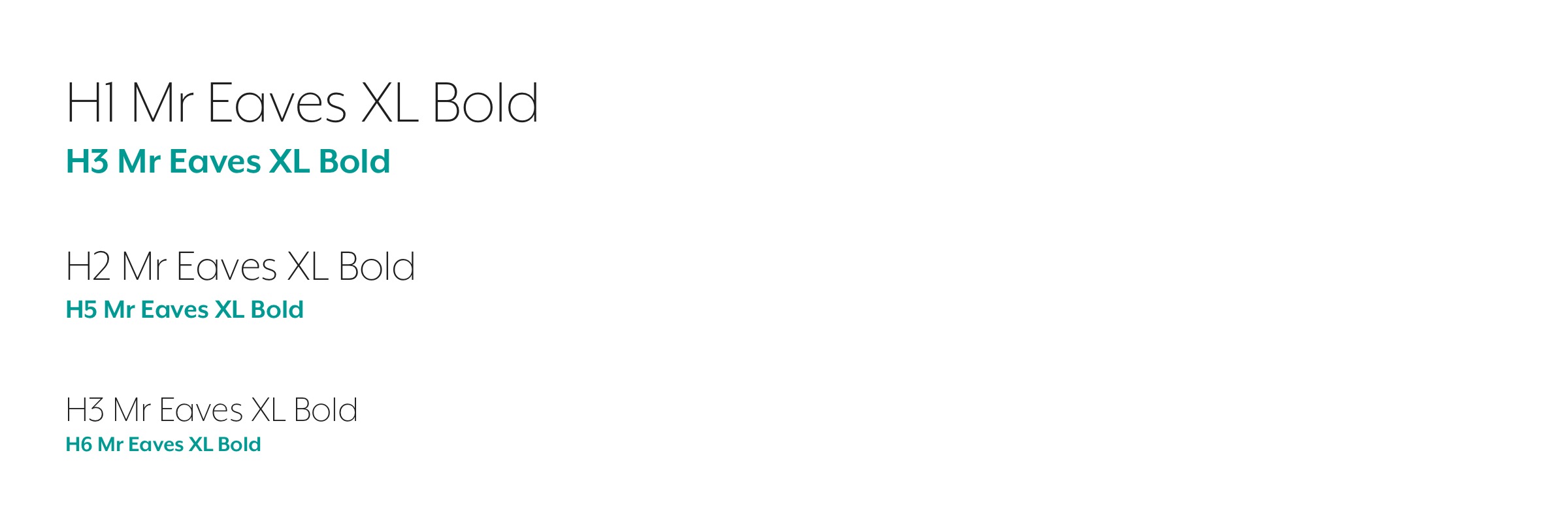
The digital primary color black is extended with secundary (teal green), tertairy (bright green) and quaternary (deep blue) colors. These typography sets can be found in the downloadable Sketch file.

With up to 7 heading sizes, from Hero to a H6 size there are enough sizes to choose from. Each size can be used in Bold or Light weights. Or in a main heading with subheading combination (see example B).

In addition to the headings we provide intro, body and generic text styles. Also in different color sets available in the provided Sketch file or via the online InVision inspect tool (you first need to create a free InVision account).

InVision

Buttons

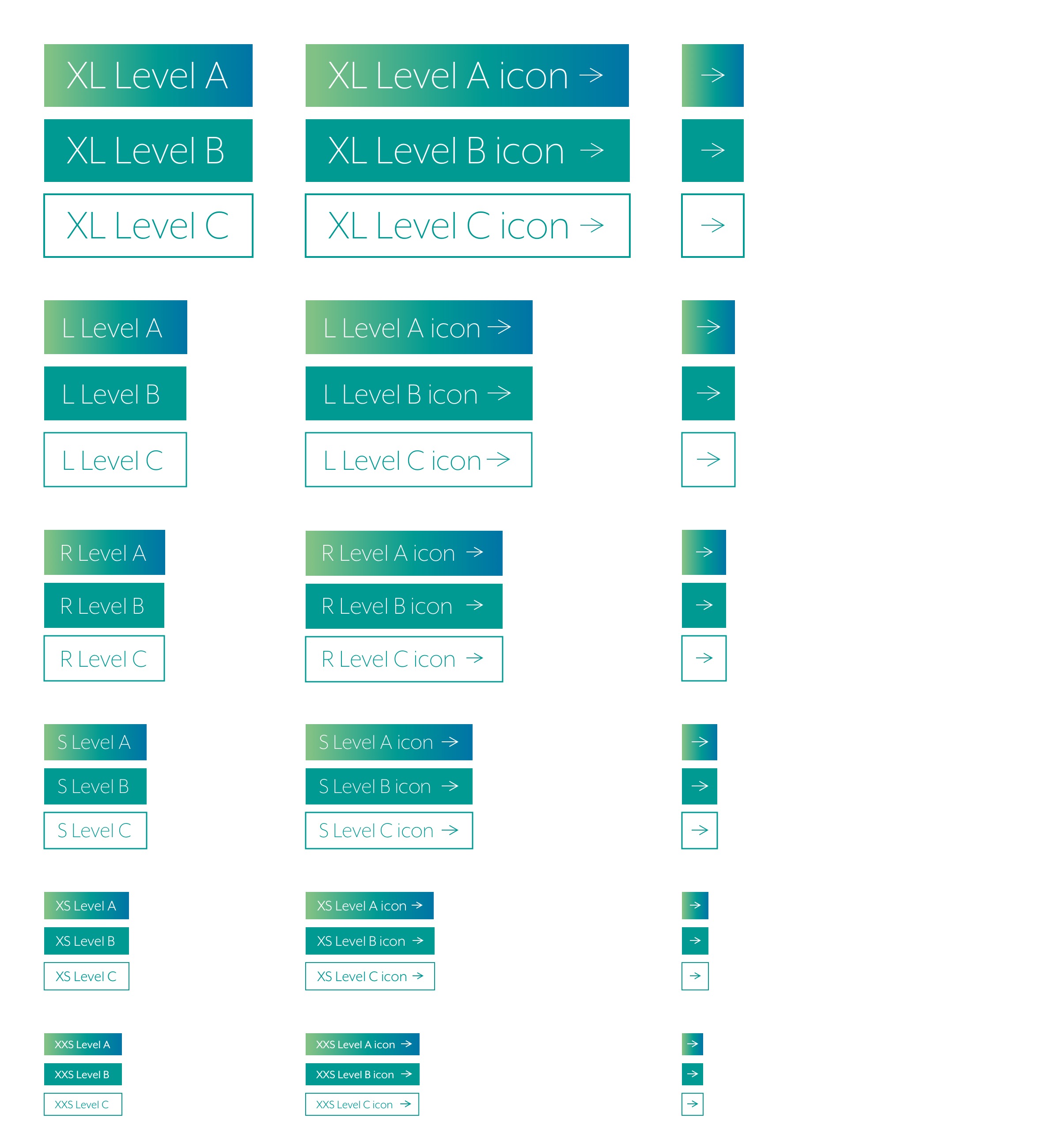
For digital purposes we have a multitude of different buttons to be used. From extra large (XL) to extra extra small (XXS) sizes. With different levels of visibility: with a gradient background (level A), solid background (level B) to outlines (level C). Most of these options are possible in the defined colors. There is also the option to use an icon in your button next to the button name.

In the example to the right you see the secundary color set in all variations. The primary (black), tertairy (bright green) and quaternary (deep blue) color sets do NOT have the level A gradient styles, but only solid and outline versions.

The secundary button set is available in the provided Sketch file or via the online InVision inspect tool (you first need to create a free InVision account).

InVision

Inputs

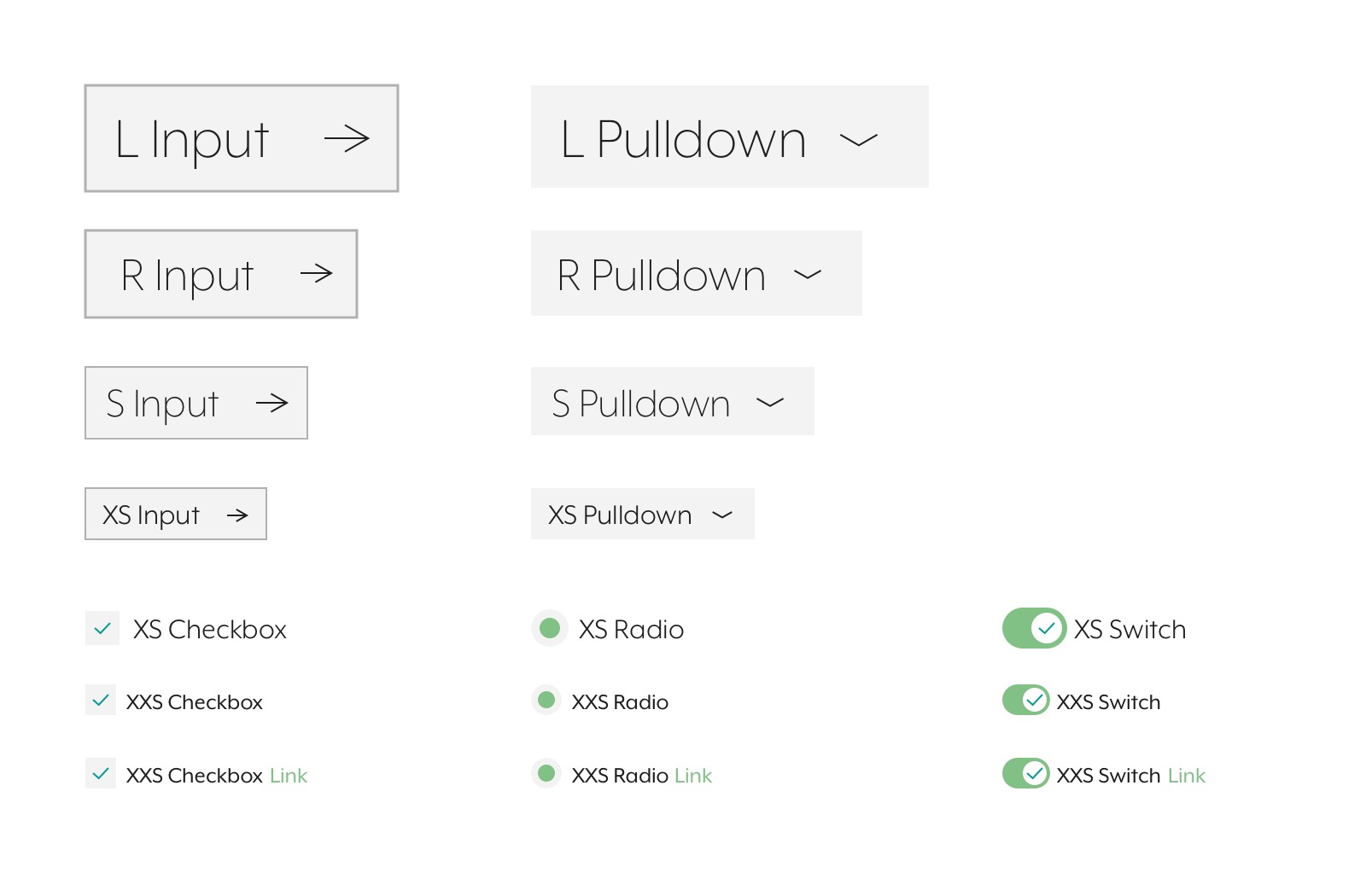
For digital purposes we have designed a coupe of ways users can input data; text inputfields, pulldowns, checkboxes, radio buttons and toggle switches. For each type we have different sizes as you can see to the right.

The input set is available in the provided Sketch file or via the online InVision inspect tool (you first need to create a free InVision account).

InVision

Icons

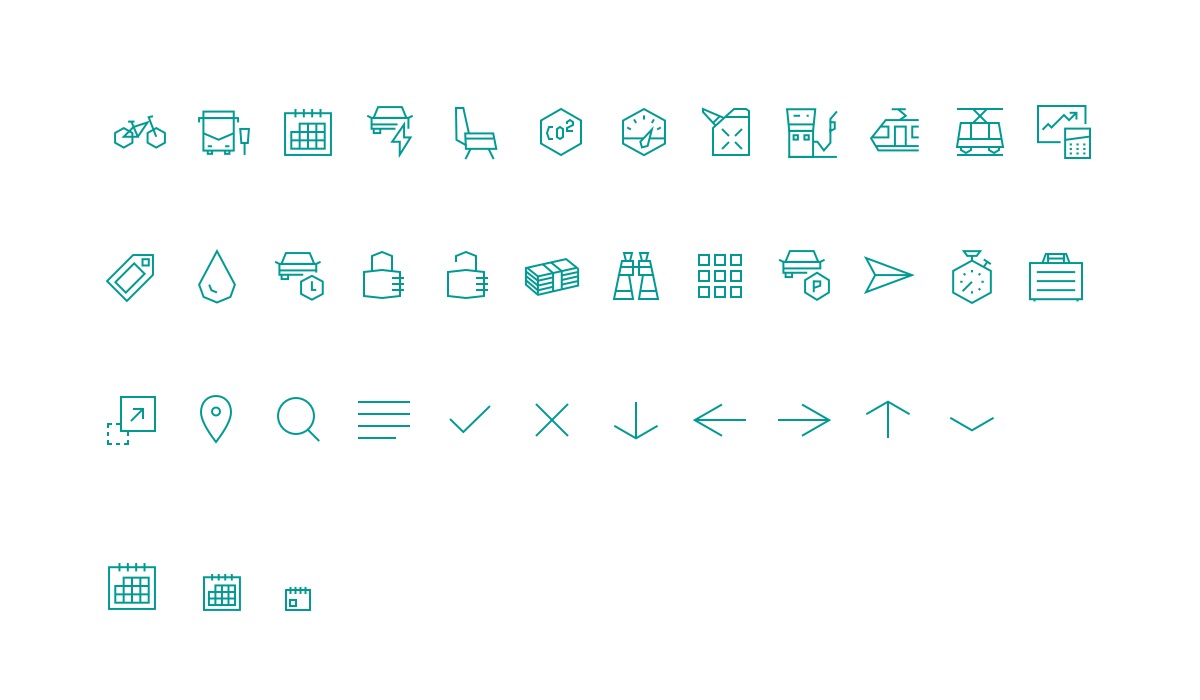
For digital purposes we provide a basic set of icons. These icons come in 3 sizes: regular (R),  smal (S) and extra small (XS) and can be used in all defined color sets depending on the background color.

The icons are based upon the EGO Icons geometric iconset. Some icons are slightly altered or combined to match the correct purpose or size of the icon. The full set of 371 MB in multiple file formats (AI / EPS / Iconjar / PDF / Sketch / SVG) can be downloaded here.

This basic icon set is available in the provided Sketch file or via the online InVision inspect tool (you first need to create a free InVision account).

InVision
Download EGO iconset (371 MB)

Photography

Style

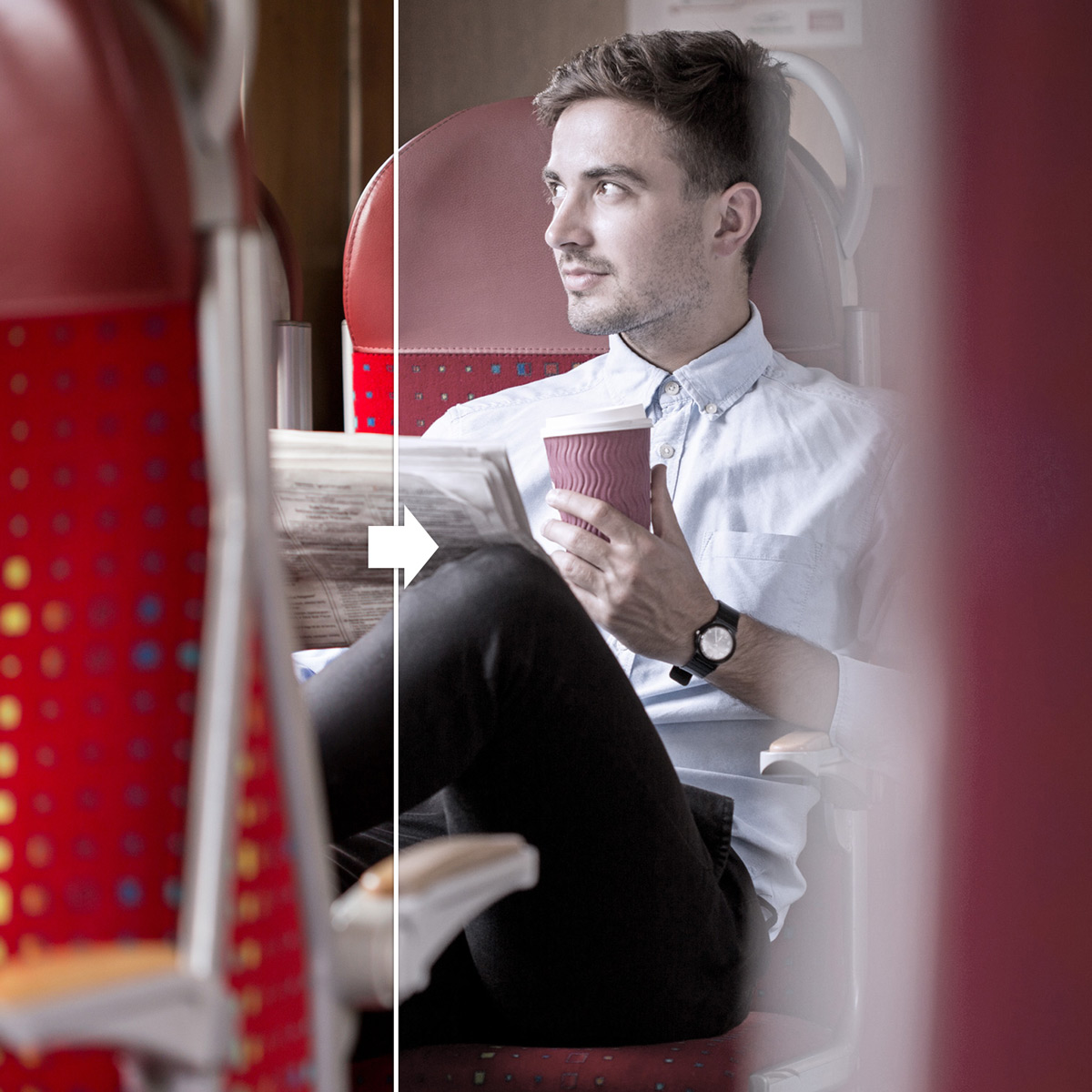
Make sure the photos are sharp and realistic. It’s important they have a natural sense. Real people in real environments. Focus on people, preferably with a nice depth of field. Focus on what matters, so surroundings or backgrounds don’t track too much attention.

People

Confident, happy and well dressed casual/business people. They feel relaxed and comfortable in a dynamic environment. They are enjoying their trip. Focus on one person. Traveling environment in suppressed background. Preferably captured in the moment, not posing/looking at the camera.

Grading

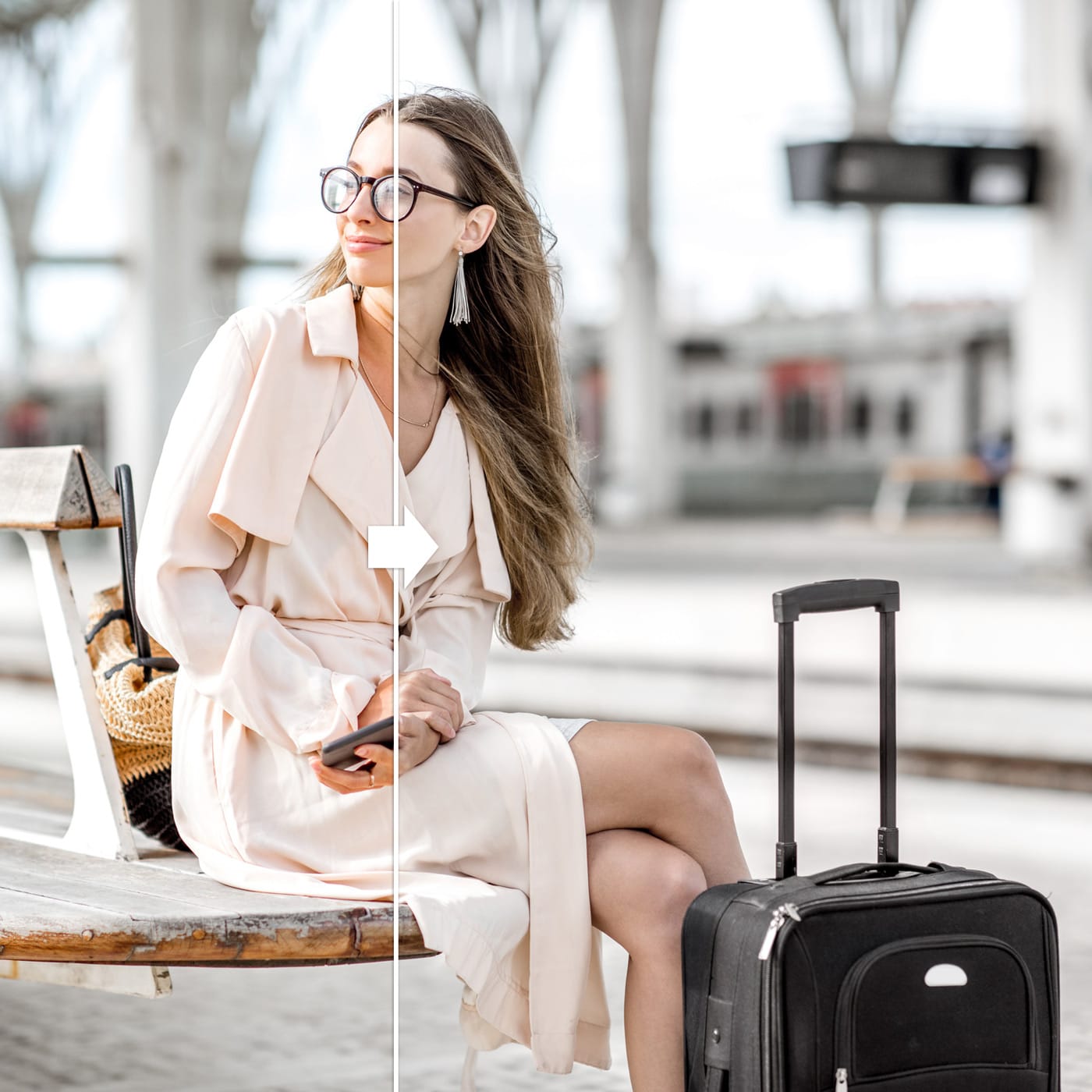
Images need to be slightly saturated to create a more neutral atmosphere. Try to avoid too many or fierce colors and disturbing or overexposed contrasts. Learn more about that by clicking on the ‘grading’ tab.

Grading

Images for Radiuz need to be retouched with a smooth saturation. Not adjusted black and white, but slightly saturated. For a more neutral atmosphere ánd it goes really well in combination with the Radiuz color scheme.

Don’t

No artificial elements or effects. And no cliche stock imagery. Keep it real, down to earth.

Pay-off

Phrasebook

Dutch version below

This phrasebook gives unambiguous direction to Radiuz’s written statements.
Read through it once in a while. It’s a good way to make sure that everything you write still fully breathes Radiuz.

RADIUZ
Fully written out in capitals. But only if it stands on its own. So in advertising, as a header at the top of the website, or on social media.

Radiuz
When Radiuz is used in running copy, we write it in the following way: Radiuz. So with a capital R and the further letters in lowercase.

Radiuz is a professional organization, nevertheless we aim to be edgy in our choice of words.. This means that you can write sharp and clever from time to time. If we were to humanize the brand, he or she would have the following characteristics:

  • Digital & up-to-date
  • Quality assurance
  • Solution-oriented
  • Open (sharing)
  • Human & informal
  • Pioneer
  • Pragmatic
  • Accurate

With a wink
Radiuz is a bit rebellious. A wink or humor (on its time) is fine!  Very welcome, even. But it should never be at the expense of clarity. Radiuz is above all a service provider that brings brightness within a ocean of innovation. So humor is more than welcome, but always secondary to comprehensibility.

Simple but inspirational
Use as few difficult words as possible. Stay close to colloquial language. Virtually no one verbally uses words like “already”, “through” or “as a result of.”  Don’t do that in your written texts either. But don’t forget that your target audience appreciates a piece of prose. Metaphorical writing is an art in itself, and more than welcome if clearly. Do not write in metaphors as a purpose, but use it to inspire and to rapture your reader, and therefore always functional. Your main goal is to connect with your reader.

Write involved
Your client can be the CEO or the board of a big company, but also the end-user. Estimate which tone fits best. Consider yourself the problem solver who thinks in terms of possibilities. The following applies to both parties: it can be better, more comfortable, cheaper, faster, smarter and so on. Arrange your texts so that the reader feels that he is understood and can move forward. The reader needs someone who is travelling with him, by his side. Be clear but always helpful. 

Keep it short
Can you shorten a sentence? Do it. Try to maintain a maximum sentence length of fourteen words. And alternate the sentence length. Don’t be afraid of using very short sentences. Try applying rhythm. You attach a short sentence to every two longer sentences. Also look critically if you can’t split up long sentences:

Example:
“We are incredibly proud of who we are, what we do, who we do it for and what this means for the future.”

Or:
“We are proud of who we are and what we do. But above all: for whom we do it and what this means for the future.”

(Almost) no abbreviations!
Do not use functional abbreviations such as approx, ASAP, e.g, temp.

Exceptions: map locations and academic and job titles. 

Example:

  • Ave. – Avenue
  • Blvd. – Boulevard
  • N – north
  • NE – northeast

and:

  • BA – Bachelor of Arts
  • BS – Bachelor of Science
  • MA – Master of Arts

Be aware of subjective additions
Be careful not to use too many subjective additions such as “quite” and “considerable”. These can unintentionally give an unwanted and negative charge to your copy.

Write positive
Thinking in possibilities is a typical characteristic from the core of Radiuz’s DNA. Avoid unnecessary use of words with a negative charge such as “no”, “never”, “none” and “but”. If you consciously deal with this, you make texts much more positive and activating.

Write actively
Avoid phrases with “become,” “go,” “will,” “want,” and “are.” Make it clear and personal.

Do: “We will send you the brochure.”

Don’t:The brochure will be sent to you.”

Do: “We are happy to take you on an adventure.”

Don’t:We would be happy if we were to take you on a adventure.”

Avoid faulty parallelism
Faulty parallelism are sentences within sentences. A sentence with faulty parallelism doesn’t read pleasantly.

Do: “If you agree, we will make a journey together that you will never forget.”

Don’t: “The journey we make together, if you agree in going with me, will be one to remember.”

Write as if you’re asking!
Alternate “normal” sentences with question phrases. This makes your copy smoother and more personal. What do we mean by that? Exactly, this!


Write the following numbers in words:

  • Entire numbers below twenty, tens to a hundred, hundreds to a thousand. So we write: eighteen, 22, forty, 103, two hundred, 250, three thousand;
  • One thousand, one hundred thousand, million and billion. You combine these numbers with a space: ten million, 123 million, two billion.

Two exceptions:

  • Use figures with exact information such as sizes, temperatures, ages, years, page numbers, percentages and amounts of money (3 grams, 16 years, etc.);
  • If there any numbers in a text that you should write in full? And numbers that you should write as numbers? Then write everything in numbers.
  • Does your copy have good structure?
  • Is the layout clear?
  • Do you use intermediate headings when necessary?
  • Is your text active and concrete?
  • Doesn’t the text raise new questions?
  • Do you use contemporary language?
  • Are there enough short and simple sentences?
  • Is your text understandable, complete and relevant?
  • Do you reach your goal with this text?
  • Does your text challenge you to take action?
  • Would you be appealed by your text?

TARGET GROUP

CORRECT

ALSO OK

NOT OK

General

we use Britisch English

x

we don't use American English

General

traveller

x

traveler

Schrijfwijzer

English version above

Deze taalgids geeft eenduidige richting aan de schriftelijke uitingen van Radiuz.
Pak ‘m er eens in de zoveel tijd bij. Zo weet je zeker dat alles wat je schrijft nog volledig Radiuz ademt.

RADIUZ
Dus volledig uitgeschreven in kapitalen. Maar alleen als het op zichzelf staat. Dus in reclamische uitingen, als header bovenaan de website of op social media.

Radiuz
Wanneer Radiuz in een lopende tekst gebruikt wordt, doen we dit op de volgende manier: Radiuz. Dus met een hoofdletter ‘R’ en de verdere letters als onderkast.

Radiuz is een professionele, zakelijke organisatie, maar wel edgy. Dat betekent dat er hier en daar best wel gewiekst geschreven mag worden. Als het merk een mens zou zijn, horen daar de volgende eigenschappen bij:

  • Digitaal & up-to-date
  • Kwaliteit
  • Oplossingsgericht
  • Open (delen)
  • Menselijk & informeel
  • Pionier
  • Pragmatisch
  • Accuraat

De knipoog
Daarnaast is Radiuz een tikkie rebels. Een knipoog of humor (op zijn tijd) kan dus prima! Maar het mag nimmer ten koste gaan van helderheid. Radiuz is boven alles een dienstverlener die duidelijkheid verschaft binnen een zee van vernieuwing. Dus humor is welkom, maar altijd ondergeschikt aan begrijpelijkheid. 
Eenvoudig, maar met bezieling
Gebruik zo min mogelijk moeilijke woorden. Blijf dicht bij spreektaal. Vrijwel niemand gebruikt in een gesprek woorden als ‘reeds’, ‘middels’ of ‘dientengevolge’. Dat doe je in je geschreven teksten dus ook niet. Maar vergeet niet dat je doelgroep een stukje proza waardeert. Metaforisch schrijven is een kunst op zich, maar indien helder meer dan welkom. Schrijf in beeldspraak om te inspireren en om in vervoering te brengen, maar dus wel altijd functioneel. Je wilt contact maken met je lezer.

Schrijf betrokken
Je klant kan zowel een CEO als de eindgebruiker zijn. Voel aan welke toon het beste past. Beschouw jezelf als de probleemoplosser die in mogelijkheden denkt. Voor beide partijen geldt: het kan beter, comfortabeler, voordeliger, sneller, slimmer en zo verder. Stel je teksten zo op dat de lezer voelt dat hij begrepen wordt en vooruit kan. Hij heeft behoefte aan iemand die naast hem staat en die hem op weg kan helpen. Zeg op een vriendelijke manier waar het op staat.

Houd het kort
Kun je een zin korter maken? Doe dat dan. Probeer een maximale zinslengte van veertien woorden aan te houden. Wissel de zinslengte af. Wees niet bang voor het gebruik van zeer korte zinnen. Probeer ritme aan te brengen. Aan elke twee langere zinnen verbind je een korte. Kijk ook kritisch naar lange zinnen. Kun je ze toch niet opsplitsen?

Voorbeeld:
‘We zijn ongelooflijk trots op wie we zijn, wat we doen, voor wie we het doen en wat dit betekent voor de toekomst.’

Of:
‘We zijn trots op wie we zijn en wat we doen. Maar boven alles: voor wie we het doen en wat dit betekent voor de toekomst.’

Geen afkortingen
Gebruik geen functionele afkortingen als m.b.t., t.g.v., i.o.v., o.a. en n.a.v.

Ben je bewust van subjectieve toevoegingen
Let erop dat je niet te veel subjectieve toevoegingen als ‘nogal’, ‘behoorlijk’ en ‘aanzienlijk’ gebruikt. Deze kunnen onbedoeld een ongewenste en negatieve lading aan je tekst geven.

Schrijf positief
In mogelijkheden denken is kenmerkend voor het karakter van Radiuz. Vermijd zodoende het onnodig gebruiken van woorden met een negatieve lading zoals ‘niet’, ‘nooit’, ‘geen’ en ‘maar’. Als je hier bewust mee omgaat, maak je teksten veel positiever en activerender. 

Schrijf actief
Vermijd zinnen met ‘worden’, ‘gaan’, ‘zullen’, ‘willen’ en ‘zijn’. Dan ben je duidelijk en persoonlijk.

Zo wel: We sturen je de brochure op.’

Zo niet: De brochure wordt naar je toegestuurd.’

Zo wel: We nemen je graag mee op avontuur.’

Zo niet: We willen je graag meenemen op een avontuur.

Vermijd tangconstructies
Tangconstructies zijn zinnen binnen zinnen. Een zin met een tangconstructie leest niet prettig.

Zo wel: Indien je ermee instemt, maken we samen een reis om nooit te vergeten.’

Zo niet: De reis die we samen maken, als je hiermee instemt, wordt er een om nooit te vergeten.’

Schrijf in de vraagvorm
Wissel ‘gewone’ zinnen af met vraagzinnen. Deze maken  de tekst vlotter en persoonlijker. Hoe we dat bedoelen? Nou, zo!

Wanneer ‘jij’?
Eigenlijk altijd. Maar we zijn toch een groot bedrijf dat zaken doet met grote bedrijven? Niet zozeer. We zijn mensen die zaken doen met mensen. Dat is het belangrijkste. Dus gewoon ‘jij’ en ‘je’, dat is wel zo gezellig. Vind je niet?

Wanneer ‘u’?
Zo min mogelijk. Wij van Radiuz proberen het informeel te houden. Wanneer we grote bedrijven aanschrijven en we willen graag kennismaken. Tsja, dan wel. Voel aan wanneer u, pardon je kunt downtunen.

Correct:
je
Ook ok:
jij/jou

Niet ok:
u/uw

Schrijf de volgende getallen in woorden:

  • Hele getallen beneden de twintig, tientallen tot honderd, honderdtallen tot duizend. We schrijven dus: achttien, 22, veertig, 103, tweehonderd, 250, drieduizend;
  • Duizend, honderdduizend, miljoen en miljard. Deze getallen combineer je met een spatie: tien miljoen, 123 miljoen, twee miljard.

Twee uitzonderingen:

  • Gebruik cijfers bij exacte informatie zoals maten, temperaturen, leeftijden;
  • Jaartallen, paginanummers, percentages en geldbedragen (3 gram, 16 jaar enzovoort);
  • Komen er in een tekst getallen voor die je voluit zou moeten schrijven? Én getallen die je als cijfers zou moeten schrijven? Schrijf dan alles in cijfers.
  • Heeft de tekst een goede structuur?
  • Is de opmaak helder?
  • Maak je gebruik van tussenkopjes waar nodig?
  • Is je tekst actief en concreet?
  • Roept de tekst geen nieuwe vragen op?
  • Maak je gebruik van eigentijdse taal?
  • Zijn je zinnen kort en eenvoudig?
  • Is je tekst begrijpelijk, volledig en relevant?
  • Bereik je je doel met deze tekst?
  • Daagt je tekst uit tot het nemen van actie?
  • Zou jij je aangesproken voelen door je tekst?

DOELGROEP

CORRECT

OOK OK

NIET OK

Algemeen

Radiuz Pas

Een mobiliteitskaart

Radiuz-Pas
Radiuz-pas
Radiuz kaart
Radiuz-kaart
Radiuz mobiliteitskaart
Onze mobiliteitskaart

Algemeen

My Radiuz

x

MyRadiuz
My-Radiuz
Cardz
RMP

Algemeen

Mijn Radiuz

x

MijnRadiuz
Mijn-Radiuz
Cardz
RMP

Algemeen

service team (in lopende zin)

Service Team (alleen in e-mail handtekening en als titel)

Service Desk
Klantenservice

Algemeen

data is (data als enkelvoudsvorm)

x

data zijn (data als meervoudsvorm)

data zijn (data als meervoudsvorm)

Reiziger

medewerker

x

werknemer

Reiziger

je

jij / jou

u
uw

Klant

je

jij / jou

u
uw